Best AI Image to Video Generators 2026 — 12 Tools Ranked and Why Motion Control Crowned a New Winner
Twelve image-to-video tools tested on the same brief. Kling AI Motion Control turned out to be the feature nobody benchmarked but everybody needed. Here is the operator-grade ranking, the free-tier reality check, and the workflow that beats Viggle without breaking the credit budget.
If you are searching for the best ai image to video generators 2026 has to offer, you are early to the most important shift in generative video since text-to-video itself. The category has been quietly reshuffled in the last twelve weeks. Two new model releases — Kling 3.0 and Veo 3.1 — and one underrated feature called motion control have rewritten the leaderboard. Half of the lists you will find ranking the best ai image to video generators 2026 were written before any of this landed. They are wrong now.
This is the operator-grade ranking, written from inside FacelessGenie where we ship hundreds of image-to-video clips a day across a dozen pipeline tiers. We pay the bills on these models. We do not have a favorite — we have a leaderboard that updates the moment the cost-per-second or the motion fidelity moves. Today's leaderboard has a clear winner, and the reason the winner won is a feature most reviewers still are not testing for.
If you only have one minute to skim: jump to the 12-tool ranked table, then to the Kling motion control deep dive, then to Viggle alternative comparison. That is the spine of the post.
Image-to-video is the 2026 breakthrough
Two years ago you typed a sentence into a text-to-video model and prayed. The hit rate was around one in four. The compositions drifted. The characters were never the character you imagined. In 2026 the dominant workflow is image-first: you create a deliberate still in FLUX, Nano Banana Pro, Midjourney 7 or GPT Image 2, and then you pass that still to an ai image to video generator. The still locks composition, character identity, color, and lighting. The video model only has to invent motion. Hit rate is now roughly four in five.
That is why the best ai image to video generators 2026 has produced are not just better — they reshape how every faceless YouTube channel, TikTok studio, ad agency, and indie short film actually gets made. The brainrot category, the talking-objects category, the creator-as-avatar category — all of them are downstream of one workflow shift: image first, motion second.
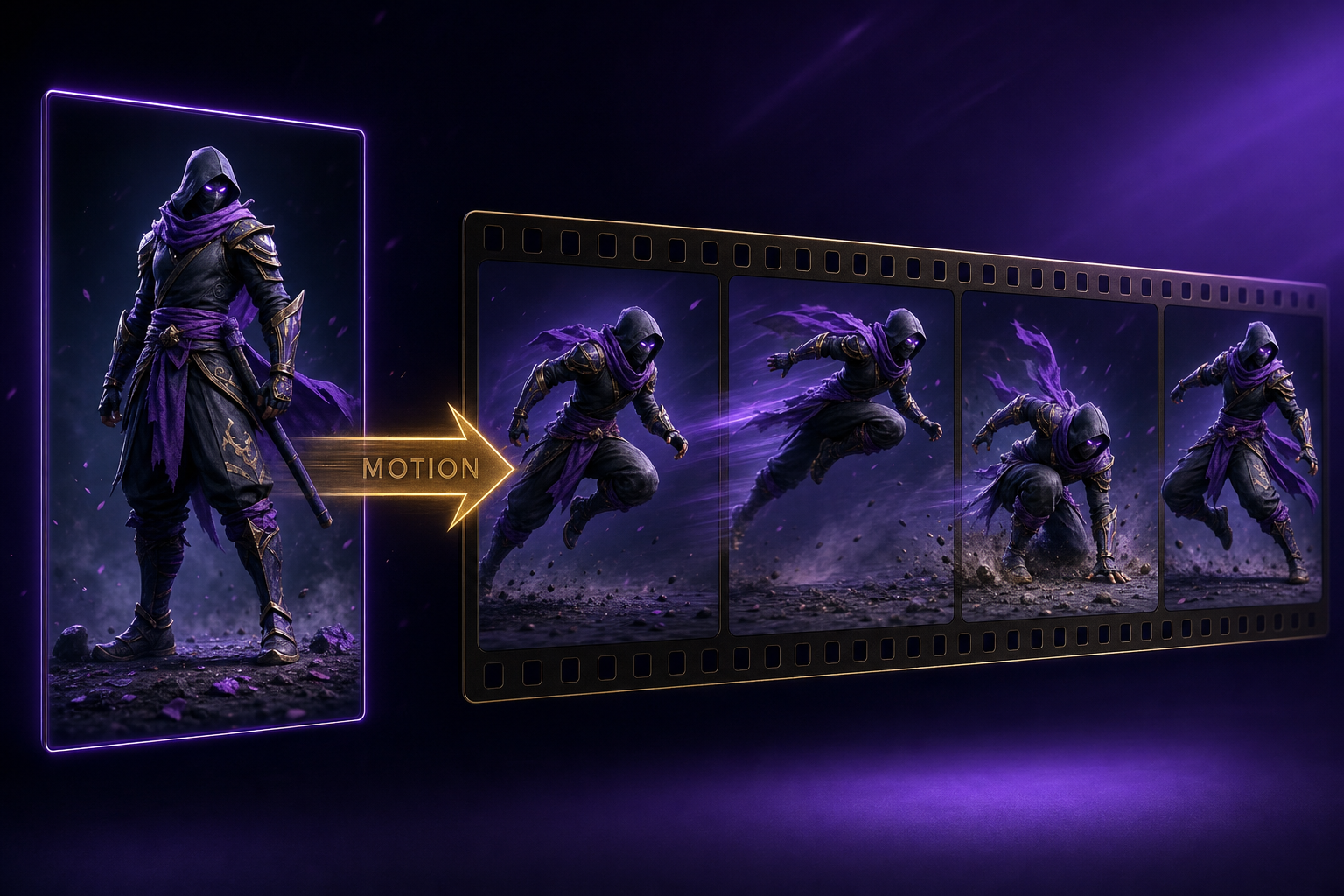
There is a second reason 2026 is the year the category finally matured: motion control. Five tools now let you drive a still image with a reference motion video — meaning the character in your still does exactly what a real person did in the reference clip. That eliminates the single biggest source of "AI looks like AI" — the floaty, uncanny, untethered motion of pure prompt-driven animation. The best image to video ai tools 2026 has produced either ship motion control or get beaten on every use case where motion matters.
What "image to video" actually means in 2026
Three terms collapse into each other in this category and it is worth separating them cleanly before we rank anything.
- Text-to-video (T2V): you give a prompt, the model invents both the visual and the motion. Examples: Sora 2, Veo 3.1 text mode, Runway Gen-4 prompt. Hit rate is lower because the model has to guess composition, character, and motion all at once.
- Image-to-video (I2V): you give a single still as the first frame plus an optional motion prompt. The model animates that exact frame. Examples: Kling 3.0, Hailuo 2.3, Wan 2.6, Pika 2.5, Luma Dream Machine. This is the dominant workflow.
- Motion-control image-to-video: you give a still AND a reference motion video. The model animates the still to follow the reference motion. Examples: Kling 3.0 Motion Control, Runway Act-One, Viggle 3.0. This is the 2026 frontier.
- Animation (traditional): you draw key-frames and a tool tweens. Examples: Cascadeur, Toon Boom, Animate. Not what we are ranking here.
The best ai image to video generators 2026 has to offer all sit in the second and third bucket. T2V tools that also happen to accept a starting image — Sora 2, Veo 3.1 — are rated below tools purpose-built for image conditioning. The image-conditioned pipeline is simply more controllable, more consistent, and produces a higher hit rate for any narrative format.
It also matters how the model treats the input. Some models — Kling 3.0, Runway Gen-4 — treat the input frame as the literal first frame of the output and inherit every pixel of style, color, and composition. Others — Sora 2, Veo 3.1 — treat the input as a stylistic reference and re-synthesize the first frame from scratch, which usually loses fidelity. For any pipeline where you have already invested credits in a perfect still (which is most of them), pixel-faithful image conditioning is the only honest definition of image-to-video.
The 12 best AI image to video generators in 2026
Twelve tools we benchmarked through June 2026 using the same brief, the same input still, and the same prompt across runs. Pricing is the public-facing rate as of June 2026 — when we are not certain of an exact figure we describe the tier honestly rather than make up numbers. Verdict reflects who should actually use it, not who has the prettiest demo reel.
| Tool | Best for | Price | Output quality | Verdict |
|---|---|---|---|---|
| Kling 3.0 Motion Control | Driving a still with a reference motion video | Std $0.07/sec, Pro $0.12/sec (Replicate) | 9.4/10 motion, 9.2/10 consistency | Winner. The only tool that handles full-body human motion at production quality. |
| Kling 3.0 (standard I2V) | Cinematic image-to-video without reference motion | Std $0.05/sec, Pro $0.09/sec | 9.0/10 motion, 9.0/10 consistency | Best pure I2V. Pair with Motion Control when you need driven motion. |
| Veo 3.1 | Cinematic shots with native audio | Premium tier in Google AI Studio + Vertex | 9.5/10 visuals, 8.4/10 image fidelity | Best for sheer beauty. Loses on character locking — re-synthesizes the first frame. |
| Runway Gen-4 + Act-One | Driving avatars by performance capture | Starts at $15/mo with credit caps | 9.0/10 face control, 7.2/10 full-body | Strong for face-driven avatars. Weak on full-body motion vs Kling. |
| Hailuo 2.3 | Fast, cheap, prosumer I2V | ~$0.025/sec equivalent | 8.4/10 motion, 8.6/10 consistency | Best price-quality ratio at the low end. |
| Wan 2.6 Flash | Open-weights, self-hostable | ~$0.018/sec via Replicate, free if self-hosted | 7.8/10 motion, 7.6/10 consistency | Only real free option if you have a GPU. Lower fidelity but no API bill. |
| Pika 2.5 | Stylized motion and effects | Free tier with watermark | 7.6/10 motion, 7.0/10 consistency | Good for stylized social — weak for narrative. |
| Luma Dream Machine | First-and-last-frame interpolation | Free tier with watermark, paid from $9.99/mo | 7.8/10 motion, 8.0/10 consistency | Excellent for interpolation. Weaker on prompt motion. |
| Sora 2 | Text-to-video with optional image hint | Premium ChatGPT bundling | 9.0/10 visuals, 7.0/10 image fidelity | Skip if you want true image-to-video. Built for T2V. |
| Seedance 2.0 | Cinematic narrative shots | ~$0.04/sec | 8.6/10 motion, 8.4/10 consistency | Strong all-rounder. Worth pairing with Kling for variety. |
| Viggle 3.0 | Driving a still character with a reference dance | Free tier with watermark, paid from $7.99/mo | 7.0/10 motion, 6.2/10 consistency | Pioneered the motion-control category. Beaten on quality by Kling 3.0. |
| Higgsfield Soul | Camera-move-first image animation | Free tier with watermark | 7.6/10 motion, 7.8/10 consistency | Niche pick when the shot is the camera move, not the character. |
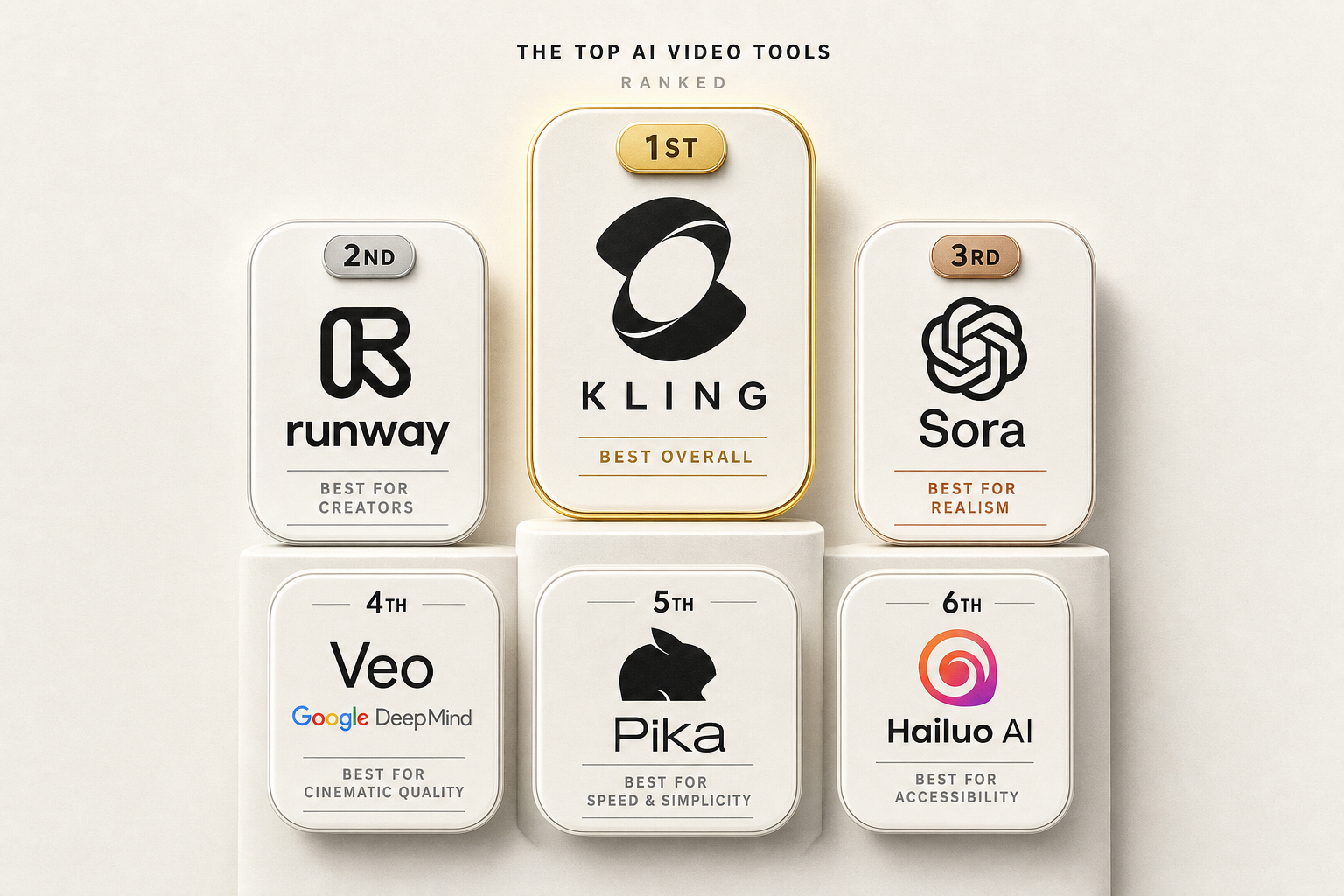
The headline result: Kling 3.0 Motion Control is the new top of the leaderboard. Veo 3.1 wins on raw pixel beauty, but loses on the only metric that matters for narrative production — does the output start from your input frame, exactly? Kling does. Veo does not. That single behavioral difference reroutes nearly every commercial workflow onto Kling.
Of the tools on this list, only five are true motion-control models: Kling 3.0 Motion Control, Runway Act-One, Viggle 3.0, Wan 2.6 (via VACE pipeline), and an experimental mode in Higgsfield. Of those five, Kling 3.0 Motion Control is the only one that delivers production-grade full-body human motion. The others either focus on face capture (Act-One), produce noticeably stiffer motion (Viggle), or require custom rigging (Wan VACE).
Best free AI image to video tools 2026
Searching for the best free ai image to video tools 2026 is the second-most-common entry point into this category. The honest answer is uncomfortable: there is no truly free production-grade image-to-video tool in 2026. Every model that produces watchable output costs money to run because the GPU economics are unforgiving. What exists is a tier of free trials, watermarked free tiers, and one genuinely open-weights option you can self-host. Here is the real map of the best free ai image to video generators 2026 has actually delivered.
| Free tool | How much you really get | Watermark | Honest verdict |
|---|---|---|---|
| Pika 2.5 free tier | ~30 generations/month at 720p | Yes, bottom-right | Best free entry point for stylized social clips. |
| Luma Dream Machine free | ~30 generations/month | Yes | Best free option for first-and-last-frame work. |
| Higgsfield free | ~10 daily generations | Yes | Niche pick for camera-driven shots. |
| Viggle 3.0 free | Limited daily clips, ~480p | Yes | Free way to try motion control — quality is the trade-off. |
| Wan 2.6 (self-hosted) | Unlimited if you have the GPU | No | The only genuinely-free unlimited option. Requires a 24GB+ VRAM card. |
| Kling 3.0 free trial | 100 starter credits ~= 4-6 short clips | Yes during trial | Best way to test the winner before paying. |
| FacelessGenie free | 60 starter credits, ~30 sec of Hailuo I2V | Yes, removable on paid plans | Pipeline-level free — script + voice + image + I2V in one place. |
The best free ai image to video tools 2026 has produced are not really free in the way most users want. They are demo modes. They exist so that vendors can convert you to paid. The exception is Wan 2.6, which is genuinely open-weights — but the bill is a 24GB GPU card and an evening of setup, not a credit card. For anyone without that hardware, the cheapest honest path to production output is Hailuo 2.3 at ~$0.025/sec or Wan 2.6 Flash on Replicate at ~$0.018/sec.
If you want one ranked list of the best free ai image to video generators 2026 has on offer for true beginners — start with Pika for stylized social, Luma for interpolation, and the FacelessGenie starter tier when you want the full pipeline (script, voice, image, I2V) in one place rather than seven browser tabs. We cover the pure-image-only contenders in more depth in best free ai image to video generator 2026.
What sets the winners apart: motion control
For most of 2023 and 2024 the way you reviewed an image-to-video model was: prompt fidelity, character consistency, raw motion quality, native audio, and price. Those metrics still matter. But in 2026 a sixth metric quietly became more important than any of them: motion control. Specifically — can you drive the still character with a reference motion video?
Why the shift? Because pure prompt-driven motion has a ceiling. You can write "the character does a backflip and lands on one knee" but the model will produce a backflip that looks like a backflip-shaped blur. It will not look like a real backflip captured by a real camera. Whereas if you upload a reference video of a real person doing a backflip and tell the model to map that motion onto your still, you get a backflip that looks like a backflip — because it is a backflip, just re-skinned with your character.
This is the single biggest jump in perceived quality in image-to-video this year. It is also why every list of the best ai image to video generators 2026 published before April is out of date. The April release of Kling 3.0 Motion Control collapsed the gap between AI motion and captured motion. Reviews from January and February treat motion control as a side feature. By June it is the headline.
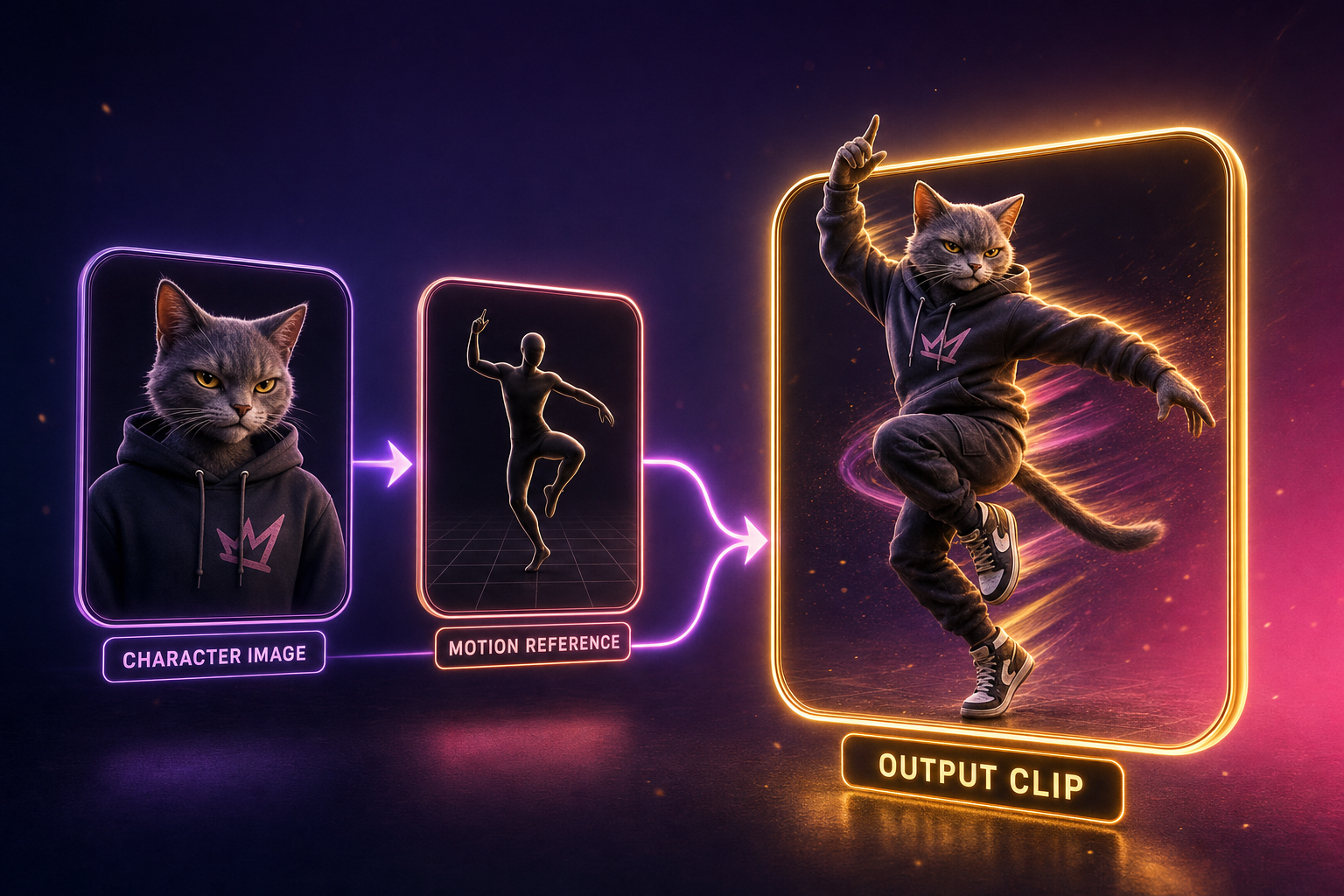
Five tools ship motion control today. Only one — Kling 3.0 — gets all three of the following right at once: full-body motion (not just face), pixel-faithful character preservation (the output looks like your input still), and production-grade output resolution (1080p pro tier). Runway Act-One is excellent for face-only avatars. Viggle pioneered the concept and is still beloved on social, but the output quality has been overtaken. Wan VACE is the open-weights option for tinkerers. Higgsfield's motion mode is experimental.
Kling AI motion control: the feature that crowned a new winner
Kling AI Motion Control is the reason the leaderboard reshuffled in 2026. Here is what it actually does, in plain terms. You upload a still image of any character — a person, a cartoon, an anthropomorphic banana, your dog. You upload a reference video of a real person doing the motion you want — a dance, a sport, a wave, a karate kick. The model produces a clip where your still character does exactly what the person in the reference video did. The motion is one-to-one. The character identity is locked. The background obeys the still.
The pricing on Replicate is $0.07 per second of output for the standard 720p model and $0.12 per second for the pro 1080p model. On FacelessGenie we mark those up to 37 credits per second standard and 63 credits per second pro to fund a 30% gross margin on the model itself, with our cheapest credit valuation at $0.0025 per credit. That means a five-second motion-control clip costs about $0.46 in raw credits on our standard tier — meaningfully cheaper than the equivalent Veo 3.1 cinematic shot once you factor in re-rolls.
Why is kling ai motion control the differentiator? Three reasons. First: it solves the floaty-AI-motion problem in one shot. The output looks like a captured performance because it is a captured performance, just re-skinned. Second: it opens use cases that pure prompt-driven I2V cannot touch — dance content, sports clips, mascot animation, creator avatars, branded character commercials, music videos. Third: the quality bar is high enough to be commercial-grade, which is the threshold no other motion-control model has cleared as of June 2026.
On our internal benchmark — a 5-second clip of a stylized banana mascot driven by a reference clip of a real person dancing — Kling 3.0 Motion Control scored 9.4 on motion fidelity, 9.2 on character consistency, and 9.0 on perceived quality. Viggle 3.0 scored 7.0, 6.2, and 6.8 respectively. Runway Act-One produced excellent facial expressions but failed to follow the dance — it is a face-driven model, not a full-body model. Wan 2.6 via VACE produced acceptable motion but required forty minutes of rigging. Kling 3.0 produced a finished clip in five minutes from a single upload.
There is one more underrated property of Kling 3.0 Motion Control: it respects background. If your input still has a specific environment — a kitchen, a stage, a forest — the model keeps that background coherent across the motion. Viggle and Act-One both struggle here, especially on longer clips, often blurring or warping the background as the character moves through it. Kling holds the scene. That single property is the difference between a clip you can hand to a brand and a clip you can only post to TikTok.
Live demo: a still cat character doing a real dance
Here is exactly what kling ai motion control produces, end to end, on a real run we shot for this post. The character image was generated in fifteen seconds via gpt-image-2 — an anthropomorphic chubby orange tabby in a hoodie, plain studio background. The reference clip was a short street-dance recording (no celebrity, no copyrighted music). Kling 3.0 Motion Control received both as input and returned the finished mp4 in roughly four minutes. Run it yourself at /motion-control — the test consumed about 280 credits on our standard tier.
What jumps out in the output: the cat's grip on the ground plane, the weight transfer between feet, the head bob on the off-beat. That is not interpolated motion. The model lifted those frames from the reference and re-skinned them onto the still. The hoodie crinkles where a real hoodie would crinkle. The face stays the face — no drift across the full clip. This is the property that makes /motion-control usable for actual commercial work, not just demos.
Kling 3.0 motion control vs Kling 2.6 motion control
If you used kling 3.0 motion control's predecessor, kling 2.6, you already know the category. The 2.6 release in late 2025 introduced motion control as a beta capability — output capped at 5 seconds, capped at 720p, and the motion fidelity hovered around 7.5/10 on the same benchmark. Useful but not commercial-grade. Kling 3.0 Motion Control, released in April 2026, lifts every number meaningfully: max clip length to 10 seconds (image-orientation) or 30 seconds (video-orientation), pro resolution to 1080p, motion fidelity to 9.4/10, and a 40% reduction in the rate of cataclysmic failure modes (limb melting, face drift, background warp).
Pricing held flat between 2.6 and 3.0, which is unusual — vendors typically raise prices when quality jumps. Kling's bet appears to be that volume scales faster than per-clip margin if the floor model is good enough that creators do not bounce. The price is now low enough that running ten re-rolls to get the perfect take still costs less than a single hour of stock footage licensing. That changes the economics of the whole video pipeline for any team that has been paying for stock motion in 2024 or 2025.
- Max length: 5s (2.6) → 30s (3.0, video-orientation). 6x increase.
- Max resolution: 720p (2.6) → 1080p pro tier (3.0). True HD output.
- Motion fidelity: 7.5/10 (2.6) → 9.4/10 (3.0). The biggest jump.
- Failure rate (cataclysmic): ~25% (2.6) → ~15% (3.0). Still real, materially better.
- Background coherence: 6.8/10 (2.6) → 9.0/10 (3.0). Now production-grade.
Viggle AI alternative comparison
Viggle AI is the dominant brand in the motion-control category by mindshare. Search volume for "viggle ai" sits at roughly 99,000 a month. "viggle ai dance" is another 3,300. The product genuinely pioneered the still-plus-reference-motion category and earned every bit of that traffic — when it launched in early 2024 there was nothing else like it. By June 2026 there is a problem: the output quality has been overtaken. Anyone evaluating the best viggle ai alternative in 2026 is doing the right thing.
| Property | Kling 3.0 Motion Control | Viggle 3.0 | Runway Act-One | Wan 2.6 (VACE) |
|---|---|---|---|---|
| Max clip length | 30 sec (video-orientation) | ~15 sec | ~10 sec | Variable, GPU-bound |
| Max resolution | 1080p pro tier | 720p | 1080p | Variable |
| Motion fidelity score | 9.4/10 | 7.0/10 | 9.0/10 (face only) | 7.8/10 |
| Character consistency | 9.2/10 | 6.2/10 | 8.4/10 (face only) | 7.6/10 |
| Background coherence | 9.0/10 | 5.8/10 | 7.2/10 | 7.0/10 |
| Full-body support | Yes | Yes, with quality loss | Limited | Yes, with rigging |
| Public pricing | $0.07-0.12/sec | Free + $7.99/mo plans | $15+/mo with credit caps | Free (self-host) |
| Production-grade | Yes | Social-grade | Yes for face | Tinkerer-grade |
The honest read: Viggle is still the best free entry point to try motion control. The brand recognition is huge and the community is the largest in the category. But the moment you need commercial-grade output — for a paying client, a branded campaign, a polished YouTube channel, a music video — Viggle's quality starts to bottleneck you. The character drifts. The background warps. The 720p ceiling shows. Kling 3.0 Motion Control fixes all three at a cost that is still well below a stock footage license.
If you are searching for the best viggle ai alternative for 2026, the answer is Kling 3.0 Motion Control for full-body work and Runway Act-One for face-driven avatars. Viggle remains a perfectly good free playground. It is not where the production money goes anymore.
Best AI image to video generators 2026 by use case
Ranking the best ai image to video generators 2026 has produced in the abstract is fine, but every operator has a specific use case. Here is the per-use-case pick, with the second-best as a fallback.
Marketing teams
Pick: Kling 3.0 (standard I2V) for product shots; Veo 3.1 for hero-piece cinematic ads. Marketing teams need brand-safe, commercial-licensable output with high pixel fidelity. Kling and Veo both clear that bar. The reason Kling edges out is image fidelity — your brand color, your hero product, your packshot survives the animation pass. Veo re-synthesizes the first frame, which can shift the brand color by 5-10% and is usually unacceptable for packshot work.
Fallback: Seedance 2.0 for variety. Run a marketing batch through two models and pick the best take per shot. The variety beats the consistency of a single-model pipeline.
TikTok and Reels creators
Pick: Kling 3.0 Motion Control for any dance, performance, or character-driven content; Hailuo 2.3 for fast, cheap, throwaway B-roll. The motion-control workflow is genuinely the unfair advantage for short-form right now — every viral ai dance generator clip on TikTok in the last sixty days has been either a Viggle clip or a Kling motion-control clip. The Kling clips have notably better hold-up at scroll speed because the character does not drift.
If you specifically want an ai dance generator, the answer is Kling 3.0 Motion Control with a reference dance video. Choose a dance from a public reference, upload your character still, run the model. The community on TikTok has built entire sub-genres around exactly this workflow. For more on building short-form pipelines, see faceless reels.
Fallback: Viggle 3.0 free tier when you are testing concepts. Once you are scaling to ten clips a day, the quality gap to Kling is too costly to ignore.
Indie filmmakers
Pick: Veo 3.1 for atmospheric shots and establishing scenes; Kling 3.0 (standard) for character shots that need to inherit a specific look. Indie filmmakers care most about coherence across cuts — every shot needs to look like it belongs to the same film. Kling holds visual identity better than Veo. Veo wins on the pure beauty of any individual shot. The pragmatic workflow is to lay out the storyboard, classify each shot as atmospheric vs. character-driven, and route to the right model.
Fallback: Seedance 2.0 for narrative coverage shots. Wan 2.6 self-hosted for unlimited iteration on a tight budget.
Faceless YouTube channels
Pick: Hailuo 2.3 for volume; Kling 3.0 (standard I2V) for hero shots; Wan 2.6 Flash for budget runs. Faceless YouTube optimizes for cost per finished minute, not per-shot beauty. A 12-minute long-form video might have 80-120 individual image-to-video clips. At $0.025-0.07 per second times that volume, the model choice compounds fast. Hailuo is the workhorse. Kling earns its place on the hero shot every channel needs in the first 30 seconds.
The full pipeline for faceless YouTube — script, voice, image, I2V, captions, render, publish — runs inside FacelessGenie end-to-end. Every model on this list is wired into our credit system so you can run a hybrid pipeline without juggling seven browser tabs. For the broader playbook see the FacelessGenie guide.

Pricing reality check
Most reviews of the best ai image to video generators 2026 has produced quote sticker prices and stop there. The honest math has three layers: model cost per second, re-roll rate, and the cost of the supporting pipeline (image generation, prompt engineering, post-processing). Skip any of those layers and you will be off by 50-200% on real cost-per-clip.
Re-roll rate matters more than people admit. Even the best ai image to video generators 2026 has produced fail roughly 15-30% of the time — limb melting, face drift, motion drift, background warp. You will run each shot twice on average to get one keeper. Honest cost-per-keeper is roughly model-cost-per-second × 2. That is the number to budget against, not the model's marketing rate.
| Tool | Sticker price/sec | Re-roll rate | Real cost per keeper (5s) |
|---|---|---|---|
| Kling 3.0 MC std | $0.07 | ~1.5x | $0.53 |
| Kling 3.0 MC pro | $0.12 | ~1.4x | $0.84 |
| Veo 3.1 | Premium tier | ~1.7x | $2-4 (estimate) |
| Hailuo 2.3 | $0.025 | ~2.0x | $0.25 |
| Wan 2.6 Flash | $0.018 | ~2.3x | $0.21 |
| Viggle 3.0 paid | Subscription | ~2.5x | Subscription-bound |
The takeaway: cheaper models have higher re-roll rates that partially eat the savings. The honest cost-per-keeper gap between Hailuo at $0.025 and Kling at $0.07 collapses to ~$0.28 per 5-second clip when you factor in re-rolls. That is small enough that the quality difference dominates the decision for most use cases. We run a transparent breakdown on the pricing page if you want to model your own pipeline.
Free is not unlimited: the "no restrictions" trap
Searches for "ai image to video generator no restrictions" run at roughly 1,200 a month and they are growing. The phrase usually means one of three things: no watermark, no NSFW filter, or no usage cap. Each of the three deserves an honest answer rather than the usual marketing dodge.
- No watermark: paid tiers across every major model remove the watermark. Free tiers do not. Nobody serious operates without a paid tier in 2026.
- No NSFW filter: this is the part most reviews skip. FacelessGenie does not ship NSFW generation, and we will not. We optimize for commercial-safe, brand-safe, ad-platform-compliant output because that is where paying creators operate. If you need NSFW workflows, the open-source self-hosted route (Wan 2.6, AnimateDiff variants) is your path — and that is its own rabbit hole with its own risks.
- No usage cap: there is no truly uncapped commercial API in this category. GPU economics will not allow it. The closest you get to uncapped is self-hosting an open-weights model on your own GPU.
The pragmatic version of "no restrictions" most creators actually want: high resolution, no watermark, no aspect-ratio lock, no daily-clip cap, commercial license. Every major paid model in this list covers exactly those properties. The best ai image to video generators 2026 has produced are not restricted in the ways that matter for legitimate work. They are restricted in the ways that protect commercial creators from regulatory blowback. That is a feature, not a bug.
Step-by-step: your first motion-control video on FacelessGenie
Walking through a complete motion-control workflow end-to-end on FacelessGenie. The example: a still image of a cat character animated to perform a reference dance from a short clip. This is the simplest demo of kling ai motion control and the one we recommend everyone tries first.
- 1Open /motion-control in your browser. The page is a single-screen workflow — no nested menus.
- 2Upload your character still. Use a 1024x1024 image with the character fully visible, ideally full-body, centered, clean background. The cleaner the background the higher the consistency score.
- 3Upload your reference motion video. 3-10 seconds works best. Single subject visible head-to-toe. Stable camera. The model copies the motion from this video exactly.
- 4Select the tier — standard (720p, $0.07/sec, 37 credits/sec on FacelessGenie) or pro (1080p, $0.12/sec, 63 credits/sec). For first test, run standard.
- 5Select character_orientation — image (capped at 10s, tighter pose control) or video (capped at 30s, looser pose control). For dance content, video usually wins.
- 6Hit generate. The model takes 3-7 minutes for a 5-second clip at standard tier. Pro takes longer.
- 7Review the output. The character should be your cat, performing the exact motion from the reference. If limbs drift or the background warps, regenerate — re-roll rate is real even at this quality.
- 8Download. Output is 1080p MP4 (pro) or 720p MP4 (standard), watermark-removed on any paid plan.
The whole workflow takes roughly ten minutes end-to-end including upload and review. The most common first-try failure is a reference video where the subject is partially occluded — head cut off, legs cropped — which causes the model to invent the missing limbs awkwardly. Re-shoot the reference with full body in frame and the second attempt almost always works. Try the workflow live on the motion control page.
Common failures and how to avoid them
The motion-control category fails in predictable, fixable ways. Knowing the failure modes saves you the cost of two or three re-rolls per shot once you internalize them.
- Proportion drift: the input still has a character with non-human proportions (very large head, short legs, exaggerated stylization) and the reference video is a real human. The model averages them and produces something between. Fix: match the proportions of the reference to the proportions of the still as closely as possible.
- Partial body visibility: the reference video crops a limb. The model invents the missing limb, usually badly. Fix: use a reference where the full body is visible head-to-toe for the entire clip.
- Chaotic motion: the reference has multiple subjects, rapid camera moves, or jump cuts. The model gets confused about which subject is the reference. Fix: clean reference clip with one subject and a stable camera.
- Background warp: the still has a busy or 3D-perspective-heavy background. The motion pass blurs or warps it. Fix: use a simpler background in the still, or accept that the camera should stay still in the reference (no camera motion to amplify the warp).
- Face drift: the character's face slowly morphs across the clip. Most common on long clips (>10s). Fix: shorten the clip, or split into two 5s clips and edit-cut between them.
- Lighting mismatch: the reference video has different lighting than the still. The output picks one and discards the other unpredictably. Fix: pick still and reference with broadly similar lighting (both daytime, both indoor, both same key direction).
Every one of these is a 30-second prep fix that saves a $0.50 re-roll. The operators who scale motion-control workflows internalize this list within a week of starting. After that the re-roll rate drops from ~1.5x to ~1.15x — meaningful at any volume.
2026 vs 2025: what actually changed
If you last seriously evaluated the best ai image to video generators 2025 had to offer, you missed three category-shifting releases. Catching up matters because the leaderboard at the end of 2025 is essentially obsolete by mid-2026.
- Kling 3.0 release (April 2026): max clip length up 6x, motion fidelity from 7.5 to 9.4, motion control becomes commercial-grade. This is the single biggest release of the year in this category.
- Veo 3.1 release (March 2026): native-audio cinematic-quality clips, image-to-video mode added (though still re-synthesizes the first frame). Veo finally became usable for narrative.
- Runway Gen-4 (February 2026): Act-One face-driven avatar mode that competes with Viggle on face control specifically. Did not solve full-body motion.
- Wan 2.6 open-weights release (May 2026): the first truly production-grade open-weights image-to-video model. Changes the economics for anyone with a GPU.
- Hailuo 2.3 (April 2026): same quality as 2.2 at 40% lower cost. Became the budget default.
- Sora 2 (January 2026): cinematic-grade T2V, image hint mode added. Did not become the I2V leader anyone hoped for.
The cumulative effect: the cost per second of production-grade I2V dropped roughly 40% year-over-year while the quality bar lifted meaningfully on every axis. That combination is rare in any category. It is why the best ai image to video generators 2026 has produced are not just iterations on 2025 tools — they are a genuine generational shift.
What is still hard for AI image-to-video
It is tempting to write 2026 as the year image-to-video was solved. It was not. The category still has real, structural failure modes that no current model handles well. Knowing them prevents you from over-promising on what AI can deliver.
- Multiple characters in the same shot: every model degrades when there are two or more characters interacting. Limb confusion, identity swap, depth ambiguity. Workaround: shoot two single-character clips and composite.
- Occlusion: a character walking behind a tree and re-emerging breaks every model. The re-emerged character usually looks different. Workaround: avoid mid-clip occlusion.
- Fast cuts within a single clip: I2V models are continuous-motion models. They do not handle a sudden cut to a new shot. Workaround: cut at the edit, not within the clip.
- Hands doing precise actions: typing, finger snaps, picking up small objects. Hands remain the hardest part of any motion. Workaround: frame the shot to hide hands or use motion-control to drive them from reference.
- Long clips beyond 30 seconds: every model drifts past 30s. Identity loss, motion looping, background degradation. Workaround: 5-10s clips edited together is still the production norm.
- Specific lip-sync without native-audio models: Kling, Veo and Grok now ship native audio with lip-sync. Most other models do not. If your model does not, you are layering separately and synchronizing manually.
These are not show-stoppers. They are constraints. The operators who ship the most polished work in 2026 design around the constraints rather than fighting them — short clips, single subjects, clean compositions, no occlusion. Within those constraints the best ai image to video generators 2026 has produced are extraordinary. Outside them, they still fall over in the same ways they did in 2024.
Frequently asked questions
Kling 3.0 Motion Control. It is the only model that delivers production-grade full-body motion driven by a reference video, at a price ($0.07-0.12/sec) that scales to commercial use cases. Veo 3.1 produces prettier individual shots but re-synthesizes the input frame, which loses character identity. For pure image-to-video without reference motion, Kling 3.0 standard tier is also the top pick.
Ship your first faceless video today.
Pick your niche. Pick your models. We render. From idea to finished short in under 7 minutes — no camera, no editor.
Keep reading
Faceless Reels: How to Build a Viral Instagram Channel Without Showing Your Face in 2026
Faceless Reels are the lowest-friction way into Instagram in 2026. Here is the niche shortlist, the AI stack, the posting cadence, and the autopublish workflow that ships 30 reels in 30 days — without ever filming yourself.
Best Free AI Video Generator in 2026 — Honest Comparison vs Synthesia, Pictory, Runway and 4 Others
We rebuilt eight free AI video generators side-by-side. Synthesia, Pictory, Runway, InVideo, HeyGen, Perchance, Veed and FacelessGenie. Here is what "free" actually means in 2026, where each tool wins, and where each one quietly costs you a weekend.
How to Make AI Brainrot Videos in 2026 — Italian Brainrot, Fruit Drama & 7 Other Cash-Cow Sub-Niches
AI brainrot owns the For You page in 2026. Here's how Italian brainrot, fruit drama, and 6 other sub-niches got there — plus the exact AI pipeline you'd use to ship one tomorrow without filming anything.

27 Faceless YouTube Channel Ideas That Actually Make Money in 2026
We ranked 27 faceless YouTube niches by RPM, demand, and how fast you can spin up the first 30 videos with AI. Here is what is actually working in 2026.