AI Talking Objects Video Generator: The 2026 Production Guide
A coffee mug complaining about Monday earns more replays than a talking head repeating the same tip. This guide covers the entire cast-to-render workflow behind AI talking-object videos, from 15-second Shorts to 20-minute episodes.
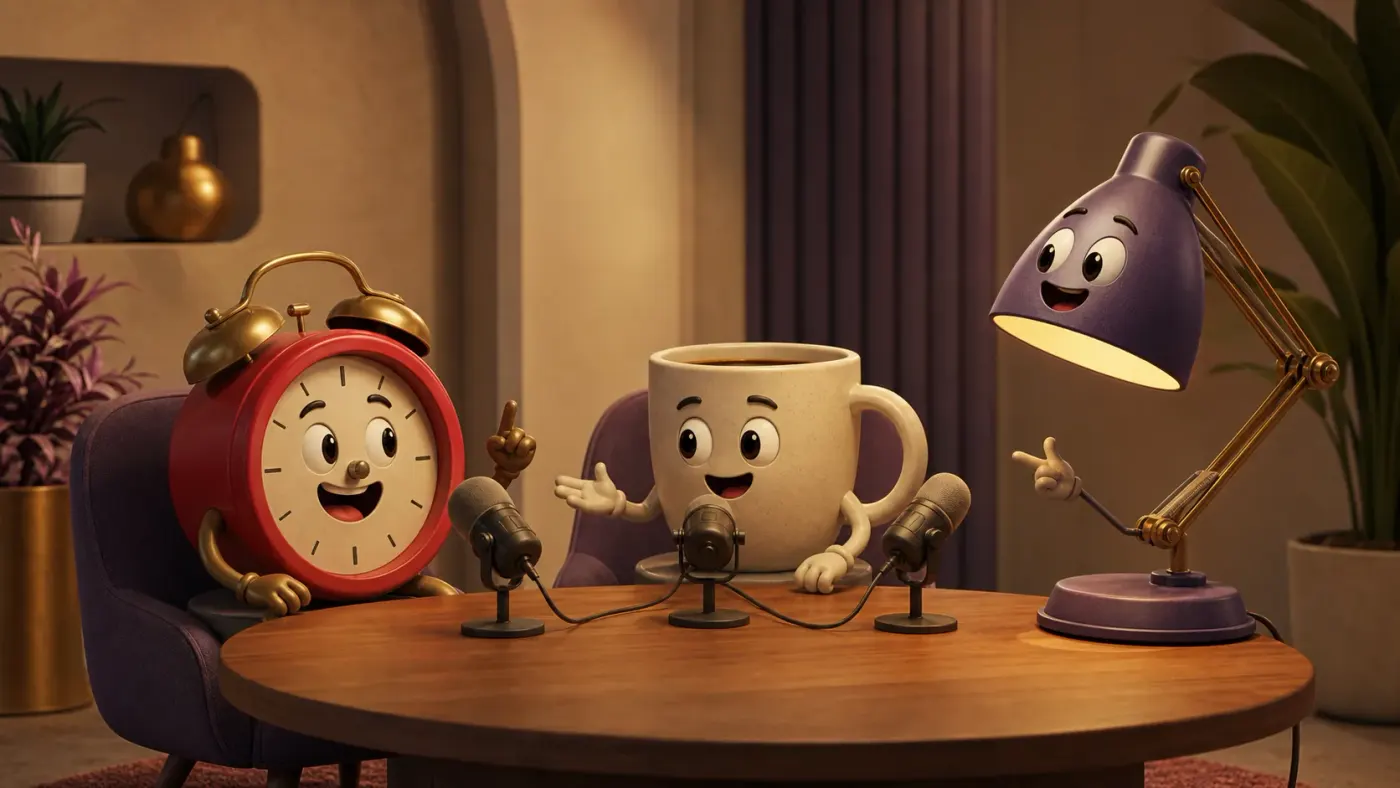
A coffee mug complaining that Monday arrives too quickly gets more replays than a talking head repeating the same advice — no studio, no on-camera presenter, just a recognizable object, a conflict, and a personality doing the work that usually takes a full production crew. That gap between effort and watch time is the entire appeal of AI talking-object videos, and it is also where most creators overestimate how little planning the format needs.
By the end of this guide you will know how to cast objects that read clearly on a phone screen, write dialogue that sounds like a conversation instead of narration split into voices, lock a character's colors and proportions across dozens of scenes, and structure the same premise for a 30-second Short or a full 20-minute long-form episode.
What are AI talking-object videos?
Talking-object videos sit between character animation and faceless video. Like character animation, they rely on a cast with recognizable personalities. Like faceless video, they do not require the creator to appear on camera. The cast might include food, stationery, household appliances, tools, vehicles, toys, gadgets, or abstract items such as a notification bell and a calendar. Each object keeps the physical qualities that make it recognizable while gaining just enough human expression to communicate emotion.
The object is not merely decoration behind a voiceover. It participates in the scene. A tired battery can slump as it describes burnout. A cracked phone can behave like a dramatic celebrity. A running shoe can argue with a sofa about exercise. This relationship between the object's real purpose and its fictional personality creates instant context. Viewers do not need a long introduction because they already understand what the object does in everyday life.
Several adjacent formats are easy to confuse with talking objects. A product slideshow with narration is not one because the product never becomes a character. A single still image with an animated mouth can qualify technically, but it usually lacks the scene changes and reactions that make the format engaging. An avatar podcast uses human or human-like hosts rather than object characters. Talking objects are defined by cast-driven storytelling: objects speak to one another, change expression, react, and remain identifiable across the video.
| Format | Main subject | Typical structure | Best strength |
|---|---|---|---|
| Talking objects | Anthropomorphic objects | Dialogue and reactions | Novelty plus character comedy |
| Talking avatar | Human-like presenter | Direct-to-camera narration | Trust and explanation |
| Video podcast | Two or more hosts | Conversational discussion | Longer ideas and opinions |
| Faceless B-roll | Scenes without a recurring cast | Narration over visuals | Fast informational content |
| Product animation | Product as a visual subject | Feature demonstration | Commercial presentation |
Why talking objects hold attention
The first advantage is immediate pattern interruption. Social feeds contain a large number of human faces, screen recordings, captions over stock footage, and conventional product shots. A toaster leaning toward a microphone creates a question before it says a word: what could this toaster possibly have to say? That small curiosity gap can earn the first second of attention, which gives the story time to establish a stronger reason to continue.
The second advantage is emotional distance. Viewers sometimes resist advice when it comes directly from a person or brand. The same point can feel lighter when delivered by a fictional object. A wallet explaining impulse spending can be funny instead of judgmental. A pillow discussing sleep hygiene can teach without sounding clinical. Characters give the creator permission to exaggerate, disagree, misunderstand, and correct themselves while keeping the tone approachable.
The third advantage is repeatability. Once a cast is established, every new topic becomes another episode rather than a completely new creative concept. A finance channel might repeatedly use Wallet, Credit Card, and Piggy Bank. A productivity channel might use Calendar, Inbox, and Coffee Cup. Familiar characters reduce setup time for the viewer and create continuity between posts. Their relationships become a content engine: the cautious character challenges the reckless one, the expert corrects the beginner, and the observer supplies the punchline.
“The object earns the click through novelty; the character earns the next episode through personality.”
The best use cases for talking-object videos
Comedy is the obvious use case, but it is only the beginning. Talking objects work whenever a topic contains competing perspectives, a process with multiple parts, or a familiar problem that can be represented physically. The format is particularly useful when a creator wants recurring characters without building a human avatar brand. The cast can remain fictional while the channel develops a recognizable voice.
Education and explainers
Assign each concept to a character. In a cybersecurity video, Password believes it is strong, Hacker points out obvious weaknesses, and Password Manager explains the fix. In a nutrition video, Protein, Carbohydrate, and Fat debate their roles. Dialogue makes abstract relationships concrete because each idea has a visual identity and a point of view. This is especially effective for short lessons where a traditional lecture would feel dense.
Brands and product stories
A product can speak about the problem it solves without turning the video into a conventional advertisement. A suitcase can describe a difficult airport journey. A water bottle can challenge a disposable cup. A software feature can be represented by a helpful tool arguing with an outdated workflow. The key is to make the story useful or entertaining before presenting the product benefit. If every line sounds like marketing copy, the fictional character will not rescue it.
Micro-stories, series, and children's content
Objects are naturally suited to contained stories because their environments imply plots. Kitchen items compete during breakfast. Office supplies attempt to survive a deadline. Toys explore a room after dark. A long-form episode can expand the same premise into a sequence of scenes, while a Short can isolate one conflict and one payoff. For children's content, keep the lesson clear, the conflict gentle, and the visual design readable at a glance. For adult comedy, contrast an innocent visual style with sharp but safe observations.
- Finance: Wallet versus Credit Card, Budget versus Shopping Cart, Coin versus Subscription.
- Wellness: Pillow versus Alarm Clock, Water Bottle versus Soda Can, Running Shoe versus Sofa.
- Technology: Old Phone versus New Phone, Password versus Hacker, Inbox versus Notification Bell.
- Food: Coffee versus Tea, Fork versus Chopsticks, Healthy Snack versus Vending Machine.
- Work: Calendar versus To-do List, Laptop versus Wi-Fi Router, Pencil versus AI Assistant.
- Home: Vacuum versus Dust Bunny, Key versus Smart Lock, Plant versus Desk Lamp.
Short-form vs long-form talking objects
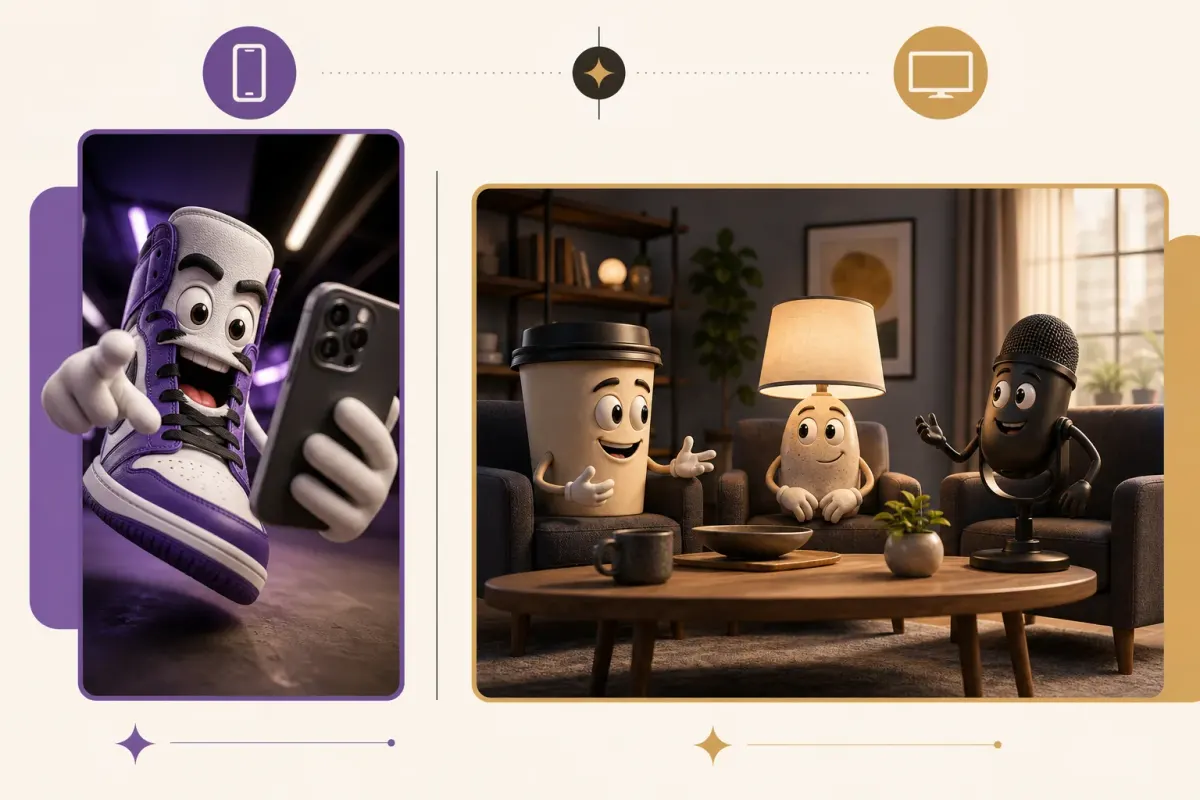
Short and long talking-object videos use the same basic ingredients but require different writing. A 10- to 60-second vertical video usually has space for one premise, one escalation, and one payoff. The framing is close, the dialogue is compressed, and every reaction must justify its duration. A strong Short often begins in the middle of the disagreement rather than introducing the characters. The audience can infer who they are from design and behavior.
Long-form video, from a few minutes up to roughly twenty minutes, cannot survive on a single joke repeated at greater length. It needs scene progression. Characters should want different things, learn information, make choices, and change the situation. A long-form educational conversation also needs signposts: introduce the question, examine parts of the answer, challenge a misconception, summarize the useful conclusion, and give the viewer a next step.
Aspect ratio changes staging as well. Vertical 9:16 frames favor one or two large characters, strong foreground placement, and limited lateral movement. Widescreen 16:9 can hold three characters comfortably, show their environment, and use over-the-shoulder or group compositions. Simply placing a vertical scene inside a wider canvas creates dead space. The storyboard should be designed for the final ratio from the beginning.
| Decision | Short-form 9:16 | Long-form 16:9 |
|---|---|---|
| Core goal | Immediate retention and replay | Sustained story or explanation |
| Typical cast | One to three characters | Two to four recurring characters |
| Dialogue | Compressed, one idea per line | Natural turns with callbacks |
| Scene count | Few, fast visual beats | Structured sequences and locations |
| Framing | Close-ups and medium shots | Groups, environments, varied coverage |
| Best ending | Punchline, reveal, or loop | Resolution, takeaway, and next step |
The complete AI talking-object production workflow
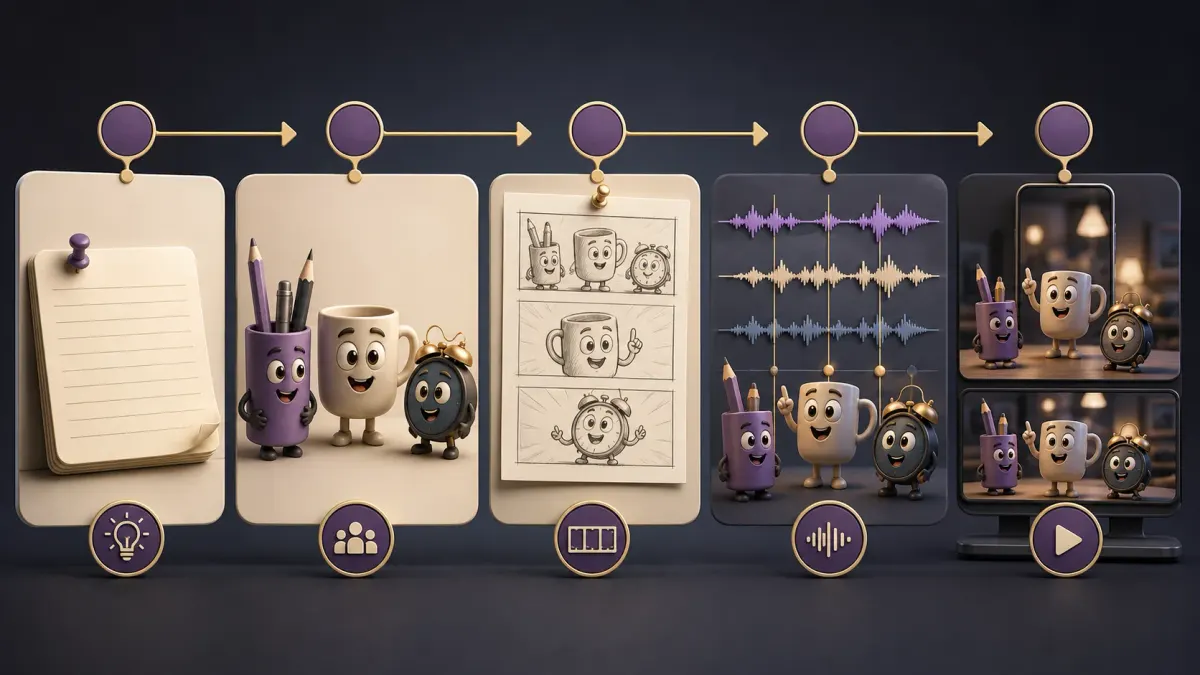
The most reliable workflow makes high-level decisions before generating expensive assets. Start with a brief, lock the cast, write the script, and create a scene plan. Only then generate character references, scene images, voices, and animation. Jumping directly from a loose sentence to video generation forces the model to invent too many details at once. The result may look impressive for a shot but fail as a coherent episode.
- 1Define the outcome. Decide whether the viewer should laugh, understand an idea, remember a product, or follow for another episode.
- 2Write a one-paragraph story brief. Include the setting, central conflict, tone, audience, ending, and target duration.
- 3Choose the cast. Give each object a name, physical description, personality, speaking style, and role in the conflict.
- 4Write dialogue before visuals. Read it aloud and remove lines that repeat information or merely describe the image.
- 5Break the script into scenes. Each scene should identify the active speaker, visible characters, action, emotion, framing, and duration.
- 6Generate reference portraits. Approve color, proportions, face placement, materials, accessories, and scale before creating scenes.
- 7Generate scene images from the references. Preserve cast descriptions and only change pose, expression, camera, and environment.
- 8Create the voice tracks. Use a stable voice per character and preserve punctuation because it controls rhythm and emphasis.
- 9Animate shots. Match motion intensity to the line; conversation usually needs restrained gestures more than constant action.
- 10Assemble and mix. Align voice, reaction timing, music, sound effects, captions, transitions, and final aspect ratio.
- 11Review without sound, then with sound. Silent review exposes visual confusion; audio review exposes speaker and timing mistakes.
FacelessGenie packages these stages into a guided talking-objects format. You provide the idea, select or define the cast, choose short or long output, and review the generated plan — along with the credit cost estimate — before rendering. The practical benefit is that the script, cast references, scene prompts, voice assignments, clips, and final composition stay connected instead of living in separate folders and tools.
How to design object characters people remember
A memorable object character starts with silhouette. If the character is recognizable only after viewers inspect texture and accessories, it will be difficult to read on a phone. Preserve the object's primary form: the round clock face, the mug handle, the lamp shade, the sneaker sole. Add the face where it can remain visible in different poses. Arms, legs, brows, and a mouth should support expression without obscuring the object.
Use controlled contrast between characters. A cast of three round beige objects will blur together. Change shape, scale, color, material, and energy. One character might be small, metallic, fast-talking, and anxious; another large, soft, deliberate, and calm. Contrast also improves dialogue because the audience can identify speakers from rhythm and attitude even before lip movement becomes obvious.
Personality should connect to function without being completely predictable. Alarm Clock can be punctual, but perhaps it secretly hates mornings. Coffee Mug can be energetic, but perhaps it is the emotionally exhausted member of the group. A small contradiction gives the writer more material than a single trait. Write one sentence for what the character wants, one for what it fears, and one for how it behaves under pressure.
| Character field | Weak choice | Stronger choice |
|---|---|---|
| Appearance | A cute cup | Short cream ceramic mug, blue rim, left-side handle, oval eyes, tiny brown shoes |
| Personality | Funny | Overconfident expert who panics when asked for evidence |
| Voice | Young voice | Fast, bright delivery with clipped sentences and nervous laughs |
| Role | Main character | Starts the argument and learns why the shortcut fails |
| Relationship | Friends | Competitive coworkers who respect each other's specialist knowledge |
Writing scripts and dialogue that sound natural
Dialogue is not narration divided between characters. Narration can explain a complete idea in polished sentences; conversation advances through incomplete knowledge, interruptions, objections, reactions, and answers. If Character A says everything the viewer needs to know while Character B replies, 'That is interesting,' the second character has no dramatic function. Give each speaker information, motivation, or a misconception that changes the exchange.
For short-form, open with the line that creates conflict. Instead of, 'Hi, I am Wallet, and today we are talking about subscriptions,' begin with Wallet shouting, 'Why did you charge me again?' Subscription can answer, 'You clicked free trial.' The topic becomes obvious through the argument. The next lines escalate, clarify, and resolve. A useful structure is accusation, defense, reveal, correction, payoff. Educational content can use the same shape without becoming aggressive.
For long-form, build sequences rather than extending turns. Every thirty to ninety seconds, change the question, visual setting, demonstration, or balance of knowledge. Bring back earlier details as callbacks so the episode feels connected. If a character learns a principle in scene two, let that principle affect a decision in scene five. Long-form retention comes from accumulating consequences, not simply adding more facts.
A dialogue checklist for every scene
- Can the viewer tell what changed because of this scene?
- Does every line either reveal character, advance the idea, create tension, or deliver a payoff?
- Could two consecutive lines be combined without losing a reaction? If yes, combine them.
- Are the characters using distinct vocabulary and sentence rhythm?
- Is the speaker visually present and clearly framed during the important part of the line?
- Does the listener react before immediately delivering the next sentence?
- Would a real person say the line aloud, or does it sound like a paragraph from an article?
- Is the final line strong enough to end the scene without additional explanation?
How to keep characters consistent across AI scenes
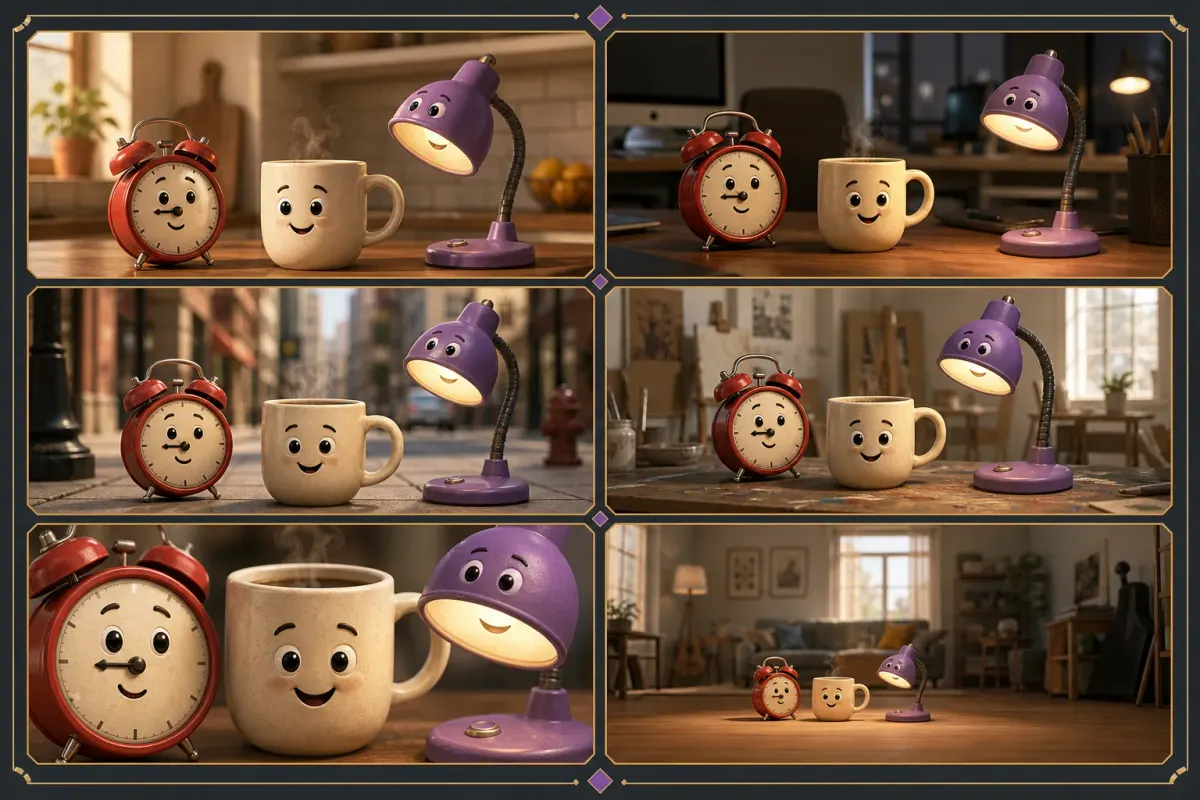
Character consistency is the difference between a sequence and a collection of unrelated clips. Generative models may change the mug's handle side, the clock's color, the position of a face, the number of limbs, or the scale relationship between characters. These differences look small in isolated frames but become obvious when shots play back-to-back. Viewers may not name the error, yet they feel that the character has changed.
Create a visual contract for each character. Record object type, shape, dominant and secondary colors, material, face location, eye style, mouth style, limbs, accessories, damage or wear, and relative size. Keep this description stable in every prompt. Place variable information such as emotion, pose, action, environment, lighting, and camera after the identity block so scene changes do not rewrite the character.
Reference images are stronger than text alone. Approve a neutral front or three-quarter portrait for each cast member, then use those portraits as the identity source for scene generation when the model supports references. For group scenes, specify the left-to-right arrangement and what each character is doing. Avoid vague instructions like 'the same characters in a kitchen' because the model must guess which details count as identity.
- 1Lock each character's name to one exact description.
- 2Use a clean reference portrait with the full silhouette visible.
- 3State relative scale so a mug does not become larger than a lamp between scenes.
- 4Change only scene variables after the identity description.
- 5Generate important establishing shots before unusual angles or extreme action.
- 6Reject identity drift early rather than carrying a flawed frame into animation.
- 7Check handles, hands, feet, accessories, facial placement, and color under different lighting.
Voice, timing, music, and sound design
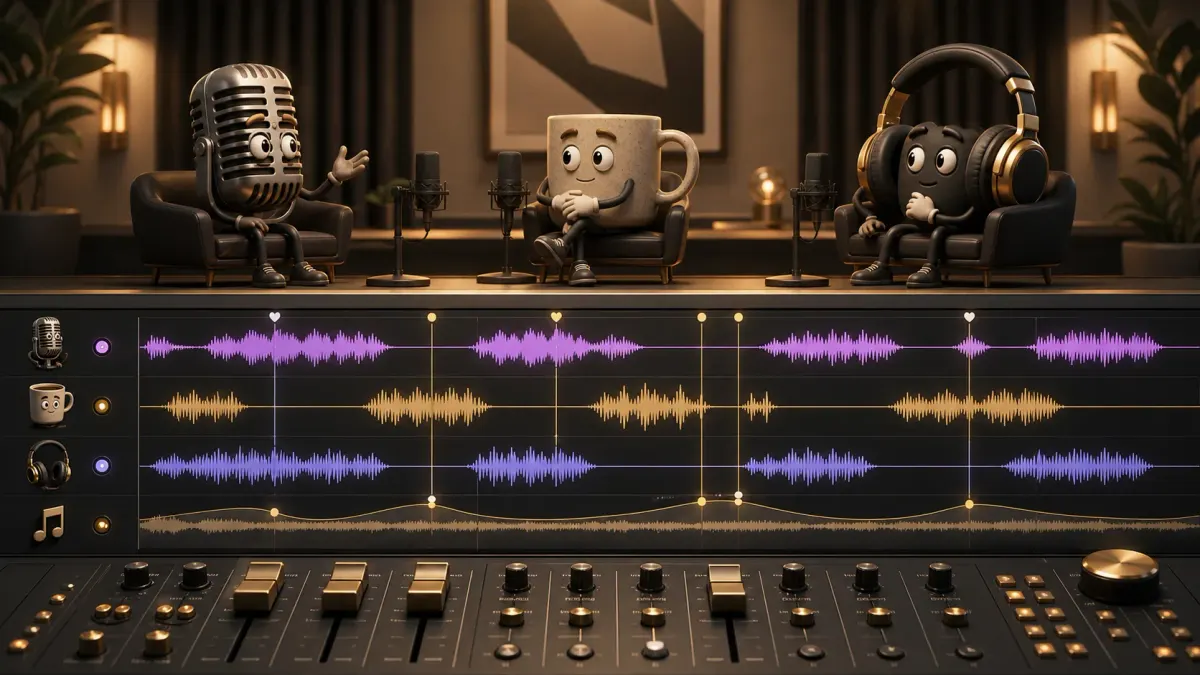
Audio carries more character information than lip movement alone. Give each cast member a distinguishable pitch range, pace, emotional energy, and texture. Avoid choosing three voices that differ only by a small pitch shift. One may speak quickly with sharp emphasis, another slowly with warm resonance, and another in short deadpan phrases. Keep the same voice assignment across every episode because voice is part of identity.
Generate dialogue as separate character segments or tracks when possible. This makes it easier to correct one line, change timing, or replace a voice without rebuilding the whole conversation. It also prevents an incorrect reference voice from contaminating every speaker. Name assets by character and scene, not by generic numbers, so the editor can audit assignments before rendering.
Silence is an editing tool. A brief pause after a reveal gives the listener time to react. A listener's glance before a reply makes the exchange feel responsive. Overlapping voices can create energy, but use them only when the words remain understandable. Background music should support pacing without competing with speech; lower it during dense dialogue and allow it to rise between scenes or at the ending.
Sound effects should belong to the objects and environment. A clock can tick softly before speaking. A lamp switch can punctuate a realization. A mug can land on a table after an argument. These sounds make the object feel physical, but too many effects turn the mix into noise. Prioritize speech, then add only the effects that clarify action or strengthen a beat.
Prompt formulas for talking-object videos
A useful prompt separates story decisions from visual decisions. Asking for 'a funny viral video about a talking coffee cup' leaves the model to choose audience, conflict, cast, setting, length, ending, and style. Those choices may conflict. Instead, provide a compact brief with a specific outcome, then describe the cast and scene constraints. The prompt becomes easier to revise because each part has a clear job.
Story brief formula
“Create a [duration and aspect ratio] talking-object video for [audience]. In [setting], [Character A] wants [goal], but [Character B] creates [conflict]. The conversation should feel [tone] and teach or reveal [single takeaway]. End with [payoff or resolution]. Avoid [content and style constraints].”
Example: Create a 35-second vertical talking-object video for students who procrastinate. In a cluttered study desk, Calendar wants to plan the week, but Notification Bell interrupts every task with fake urgency. Pencil initially sides with Notification Bell, then discovers that none of the alerts matter. Keep the dialogue quick, dry, and practical. End with Calendar placing the phone face down and revealing a three-task plan. Avoid generic motivational speeches and avoid narration.
Character description formula
“[Name] is a [shape, material, color, object] with [face position and features], [limbs and accessories], and [relative scale]. Their personality is [dominant trait plus contradiction]. They speak with [pace, tone, and verbal habit]. Preserve these exact identity details in every scene.”
Example: Calendar is a square cream paper desk calendar with a purple top binding, oval dark eyes printed in the upper third, thin charcoal arms, short legs, and a gold pencil tucked behind the right side. Calendar is organized but secretly afraid of unexpected changes. They speak in calm numbered points and pause before disagreeing. Calendar is slightly taller than Notification Bell and shorter than Pencil. Preserve the binding, pencil position, proportions, and colors in every scene.
Scene prompt formula
“Show [approved cast identities] in [specific environment]. [Speaker] is [action and expression] while saying [line or intent]. [Listener] reacts with [visible response]. Use [shot size and camera position], [lighting], and [composition]. Preserve every character's colors, materials, proportions, face placement, accessories, and relative scale. No extra characters, text, logos, or watermarks.”
A production quality-control checklist
Review the finished video in layers. Watching once from beginning to end is not enough because the story can distract from technical errors. First watch without sound and inspect identity, speaker framing, actions, continuity, captions, and composition. Then listen without watching and inspect voice identity, line order, pacing, pronunciation, music level, and awkward silence. Finally watch the complete piece at normal speed on the device where it will be published.
- Every spoken line belongs to the intended character and uses that character's approved voice.
- No character changes color, material, face placement, accessories, or relative size between shots.
- The active speaker is visible or the shot has a deliberate reason to show the listener.
- Mouth and body movement feel related to speech rather than randomly continuous.
- Reaction shots have enough time to register but do not stall the conversation.
- Music remains beneath dialogue and transitions do not create abrupt volume changes.
- Captions match the final audio, use readable line lengths, and remain inside platform safe areas.
- The opening frame communicates character and conflict without requiring introductory text.
- The final beat resolves the promise made by the hook or intentionally creates a clean loop.
- The exported resolution and aspect ratio match the selected publishing destination.
For long-form work, also inspect chapter-level pacing. A technically clean ten-minute conversation can still feel static if every scene uses the same framing and emotional energy. Mark the timeline whenever the location, question, goal, or visual mode changes. If several minutes pass without a meaningful change, add a demonstration, a new scene objective, a stronger objection, or a visual example rather than filling the space with extra dialogue.
Publishing, testing, and repurposing
Design the first version around one primary platform. A vertical TikTok or Reel should not be an afterthought cropped from a wide composition, and a YouTube episode should not be a collection of Shorts placed side by side. Once the primary version works, repurpose the underlying story rather than mechanically resizing the final export. The same cast and idea can produce platform-specific edits with different framing and pacing.
For short-form testing, vary one creative element at a time. Test a different opening line while preserving the cast and payoff, or test a different first frame while preserving the audio. If every version changes the hook, characters, length, music, and ending, the results will not reveal what improved performance. Track whether viewers leave before the conflict becomes clear, during the explanation, or before the payoff.
A productive repurposing system begins with a long-form idea map. One eight-minute episode about sleep might contain separate exchanges about caffeine timing, room temperature, bedtime consistency, screen habits, and morning light. Each exchange can become a Short with a new opening and a self-contained payoff. The Shorts then point interested viewers toward the deeper episode without feeling like incomplete fragments.
- 1Publish the primary version in its native aspect ratio.
- 2Extract the strongest self-contained exchanges rather than arbitrary time ranges.
- 3Rewrite the first line of each clip so it makes sense without previous context.
- 4Reframe scenes for vertical instead of relying on automatic center crops.
- 5Add platform-appropriate captions and verify safe areas.
- 6Use recurring cast names, colors, and thumbnail language across episodes.
- 7Record which premise and character pairing earns the strongest retention and comments.
Common talking-object video mistakes
Choosing objects without a relationship
Novel objects do not automatically create a story. A banana, a keyboard, and a bicycle may look amusing together, but the writer must spend precious time explaining why they share a scene. Choose objects connected by environment, function, ownership, or conflict. Familiar relationships let the premise start quickly and give the characters natural reasons to disagree.
Writing narration and assigning it to multiple voices
If every character speaks in complete explanatory paragraphs, they sound like one narrator with different voices. Break information into questions, claims, corrections, examples, and reactions. Let one character misunderstand a point the audience may also misunderstand. The correction then serves both story and education.
Using constant or excessive motion
Movement should express intention. A character leans closer to challenge a claim, looks away after embarrassment, or taps the table to emphasize a conclusion. Random bouncing, waving, and camera movement compete with speech and make a conversation feel unstable. Reserve larger action for transitions, reveals, and emotional peaks.
Losing the link between speaker and audio
A beautiful clip fails immediately when the wrong character voice plays. This can happen when audio files use generic names, cast order changes, or the workflow assumes a separate narration track even though the video requires character dialogue. Maintain explicit speaker IDs from script through scene plan, TTS generation, animation, and composition. Audit Pro and High quality outputs as carefully as Standard because changing a video model must not silently remove character audio.
Generating the entire video without reviewing dependencies
A wrong cast reference affects every scene. A wrong speaker assignment affects voice, lip movement, captions, and timing. A weak script affects every asset. Review decisions at the point where they become dependencies: approve the brief before the script, the script before the storyboard, the cast before scene images, and the voices before the final render. This staged review is faster than treating generation as a single button and repeatedly rebuilding the whole video.
The videos that hold attention are never the ones with the flashiest single shot — they're the ones where a locked cast, a written conflict, and a consistent voice turn a gimmick into a series worth returning to. Get those three right before touching a video model, and the format does the rest. FacelessGenie's talking-objects format handles the cast references, script, voices, and render as one workflow, so you can try it on FacelessGenie with your first premise instead of stitching the pieces together by hand. A few common questions before you start:
Frequently asked questions
It is a tool or workflow that turns everyday objects into recurring animated characters with faces, voices, gestures, dialogue, and scene-to-scene continuity. A complete generator handles more than lip movement: it connects the story, cast, scene images, character voices, animation, captions, music, and final composition.
Ship your first faceless video today.
Pick your niche. Pick your models. We render. From idea to finished short in under 7 minutes — no camera, no editor.
Keep reading
AI Brainrot Generator: How to Make Viral Videos in 2026
Fruit-drama brainrot accounts are averaging 11.2M views per post with nothing but three locked AI characters and a repeatable 4-beat script — here's the full pipeline, niche rankings, and copyright rules behind them.
AI Explainer Video Generator 2026: Ship One in 10 Minutes
A 60-second animated explainer that cost $15,000 in 2022 now renders in 10 minutes for under $20 — here's the 5 styles that convert, the 7-rule script formula, and the full AI workflow behind it.

Best Free AI Video Generator in 2026, Ranked (8 Tools Tested)
One of the eight free AI video generators we tested made us wait 47 minutes for a 45-second export; another charges $3.10 for a video a rival delivers at $0.30. Here's exactly where each tool wins, where it quietly costs a weekend, and which one fits your workflow.