AI Video Script Generator 2026: Scripts That Hold Retention
Score your script before you generate: anything under a 7 out of 10 will render clean and still get skipped. Here is the hook-to-payoff system that fixes that.
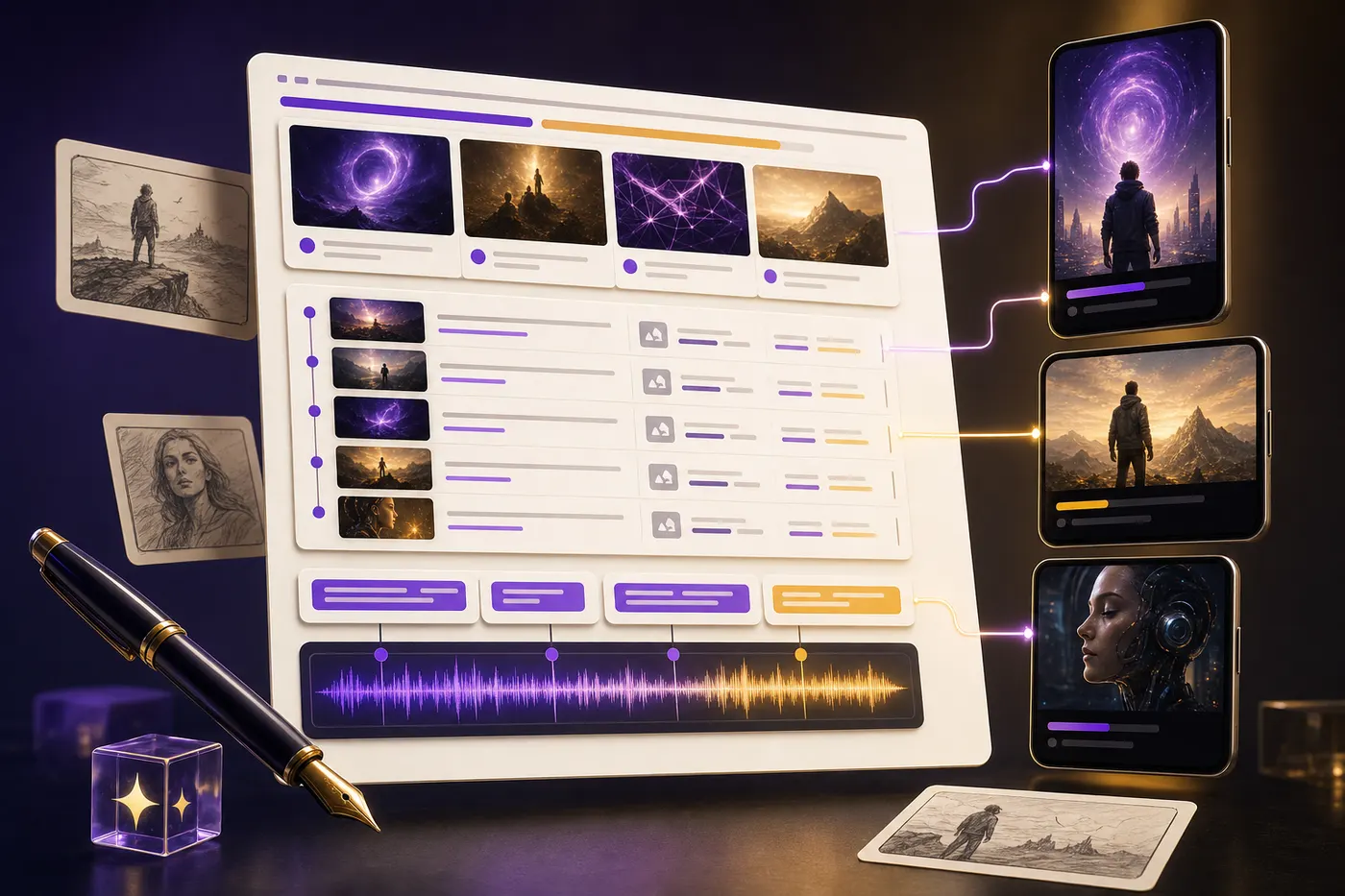
Three seconds. That is roughly how long a viewer gives a faceless video before deciding whether to keep watching, and nothing about the render decides that outcome — the script does. Hook order, pacing, scene beats, voiceover rhythm, caption emphasis, and payoff are all locked in before a single frame gets generated.
By the end of this guide you will have a repeatable script system — angle, hook, beat outline, voiceover, visual notes, and captions — that you can run before generating a single scene, tuned for YouTube, Shorts, TikTok, or Reels.
The tell for a weak script is easy to spot: it opens with "In today's video," burns five soft sentences before saying anything specific, explains instead of showing, and closes with a generic call to action. A script built to work moves like a video — one line creates tension, the next gives context, the next shows a concrete example, the next opens a loop, and every scene earns its place.
What is an AI video script generator?
An AI video script generator is software that helps turn a topic, title, prompt, article, transcript, product idea, or content brief into a video script. The useful ones do more than output narration. They understand that video scripts are not blog posts with line breaks. A script needs a hook, pacing, visual beats, spoken language, transitions, and a payoff that matches the platform.
A YouTube script generator usually focuses on longer structure: intro, credibility, open loops, sections, examples, transitions, and retention resets. A YouTube Shorts script generator or TikTok script generator focuses on compression: first-second hook, one idea, fast escalation, visual clarity, and a punchy final line. A Reels script generator sits between the two, because Reels can handle slightly more explanation but still punishes slow intros.
- AI video script generator: broad tool for turning ideas into video scripts and scenes.
- YouTube script generator: best for long-form voiceover, documentary, explainer, and educational videos.
- YouTube video script generator: same need, usually with more emphasis on title, intro, sections, and CTA.
- Shorts script generator: short-form script built around one hook and one payoff.
- TikTok script generator: faster, more conversational, and more pattern-driven than long-form scripts.
- Reels script generator: useful for faceless Instagram videos, product explainers, story clips, and educational reels.
- Faceless YouTube script generator: script plus scene notes, voiceover, visual prompts, and narration that works without a person on camera.
FacelessGenie uses this broader definition. The script is not only the words the voice reads. It becomes the backbone for the rest of the pipeline. Each beat can turn into a scene image, animation, caption line, music cue, thumbnail angle, and platform export. That is the difference between a text generator and a video generator.
Why scripts still decide retention
Video quality matters. Voice quality matters. Captions matter. But the script decides whether those pieces have anything worth carrying. If the first line is weak, the best voice model only makes a weak line sound expensive. If the structure is flat, premium visuals only decorate a boring idea. If the payoff is vague, the viewer feels cheated even if the edit looks polished.
This matters even more for faceless content because the script has to replace the human presence. A face can carry emotion, hesitation, humor, and trust. A faceless video has to manufacture those signals through writing: specificity, surprise, clarity, pacing, and a visual plan that keeps changing before the viewer gets bored.
| Script layer | What it controls | What happens when it is weak |
|---|---|---|
| Hook | Whether viewers stop scrolling | The video dies before the topic starts |
| Angle | Why this topic matters now | The video feels generic or copied |
| Structure | The order of ideas | Viewers get lost or leave early |
| Scene beats | What changes on screen | The visuals feel random or repetitive |
| Voiceover | How the script sounds out loud | The narration feels robotic or overwritten |
| Captions | What the silent viewer catches | The best lines disappear in the feed |
| Payoff | Why the viewer finishes | The ending feels flat or unfinished |
A good script makes every downstream model easier to use. Image prompts become clearer because every scene has a job. Voiceover sounds better because the sentences are written to be spoken. Captions feel sharper because the hook and payoff lines are already designed for emphasis. The render feels more intentional because the video has a rhythm before animation begins.
Pick the script format before writing
The first decision is format. Do not ask AI to write a script until you know where the video will live. A ten-minute YouTube documentary, a 35-second Short, a 60-second Reel, a TikTok story, a product explainer, and a faceless finance video all need different pacing. The topic may be the same, but the script should not be.
| Format | Best length | Script shape | Use it for |
|---|---|---|---|
| YouTube long-form | 6-15 minutes | Hook, context, sections, examples, resets, payoff | Documentaries, explainers, case studies, education |
| YouTube Shorts | 20-45 seconds | Hook, setup, escalation, payoff | Fast idea tests, viral hooks, repurposed long-form |
| TikTok | 15-45 seconds | Pattern interrupt, story, twist, comment bait | Trend-aware, fast-moving discovery clips |
| Instagram Reels | 25-75 seconds | Hook, teach, show, save-worthy takeaway | Faceless education, stories, product explainers |
| Explainer video | 60-120 seconds | Problem, stakes, solution, proof, CTA | Products, SaaS, onboarding, ads |
| Faceless channel episode | 45 seconds-12 minutes | Voiceover plus visual beats | AI channels, documentary shorts, niche pages |
If you are unsure, start with a short-form script first. It forces the idea to become clear. If the topic cannot survive a 35-second version, the long-form version will probably ramble. Once the short version works, expand it into a longer script with examples, proof, and pacing resets.
The script-to-video workflow

The best AI script workflow starts before the script. You need an angle. An angle is the reason this video should exist. "Make a video about AI tools" is a topic. "The AI tools that save creators the most editing time in 2026" is an angle. "I tested five AI tools and only two made a usable Short" is even better. The angle gives the script tension.
- 1Write the raw idea in one sentence. Do not polish it yet.
- 2Ask for five angles. Pick the one with the clearest tension, outcome, or curiosity gap.
- 3Generate 10 hooks. Keep only the hooks that say something concrete in the first sentence.
- 4Choose the platform format. Decide length, aspect ratio, and pacing before drafting.
- 5Create the beat outline. Each beat should answer what the viewer sees and hears.
- 6Write the voiceover. Use short spoken sentences, not essay paragraphs.
- 7Add visual prompts. Every scene should have a visual job: show, contrast, prove, reset, or dramatize.
- 8Write caption emphasis. Pull the strongest phrases into on-screen caption beats.
- 9Run retention QA. Cut throat-clearing, soft claims, duplicate points, and slow transitions.
- 10Render the video. The script should already tell the renderer what needs to happen.
This is where FacelessGenie is different from a plain AI writing tool. A normal writing tool stops at text. FacelessGenie turns the structure into scenes, images, animation, voice, music, captions, and platform exports. The script is not the final artifact. It is the production map.
Hook formulas that actually work
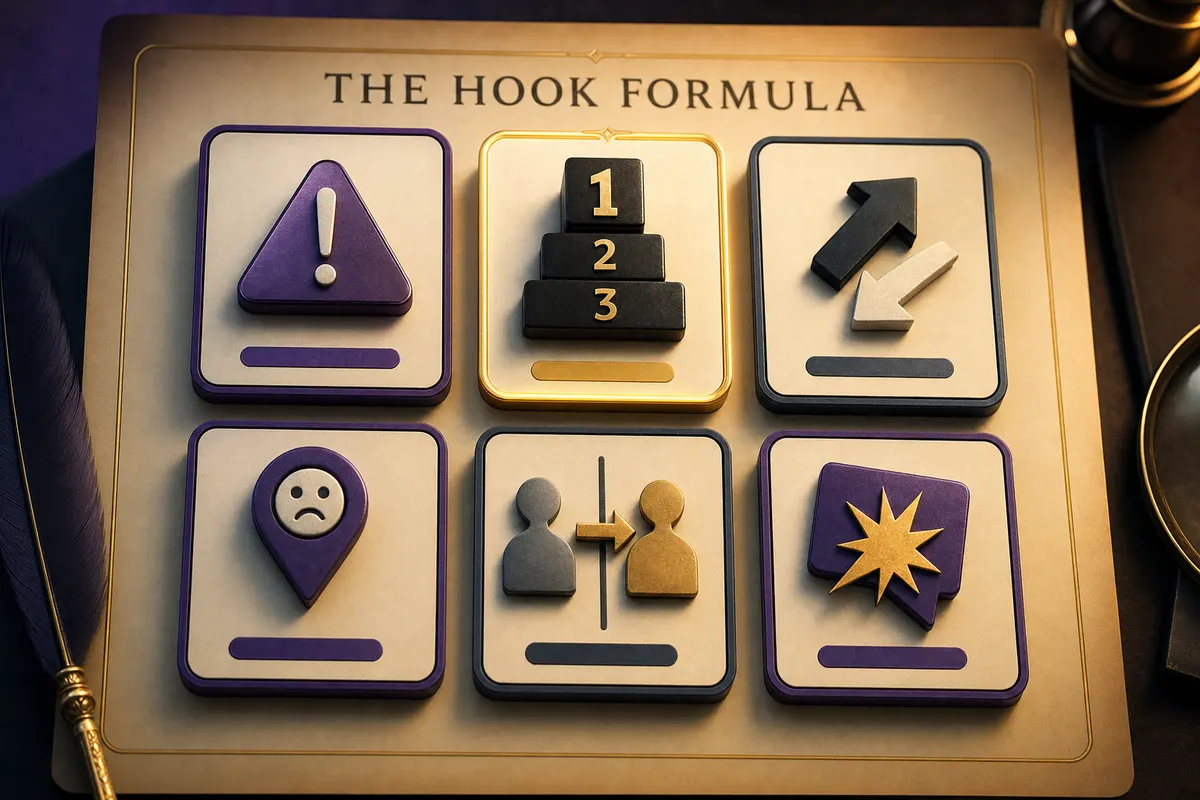
The hook is not the intro. The hook is the reason a viewer gives you the next five seconds. It should create an open loop, name a problem, challenge an assumption, show a result, or promise a specific payoff. A weak hook tells the viewer what the video is about. A strong hook tells the viewer why they cannot ignore it.
| Hook type | Formula | Example |
|---|---|---|
| Mistake hook | Most people do X. That is why Y fails. | Most faceless channels automate the script first. That is why the videos feel dead. |
| Number hook | I tested X. Only Y worked. | I tested 12 AI video hooks. Only 3 held viewers past 30 seconds. |
| Contrarian hook | Everyone says X. The data says Y. | Everyone says better visuals fix retention. The script usually breaks first. |
| Specific pain hook | If X happens, the problem is probably Y. | If your Shorts get views but no follows, your payoff is probably too weak. |
| Before/after hook | This changed from X to Y after Z. | This script went from boring to watchable after I changed the first sentence. |
| Story hook | Someone tried X. Then Y happened. | A creator posted 60 AI videos and got nothing. Then one hook changed the channel. |
Ask AI for a lot of hooks, then be ruthless. Most generated hooks will be polished but weak. Keep the ones with a concrete noun, a clear tension point, and a reason to continue. Delete anything that starts with generic phrases like "Are you tired of," "In this video," or "Here are some tips." Those phrases use up the most valuable seconds of the video.
How to write a YouTube script with AI
A YouTube script has more room, but that does not mean it can move slowly. Long-form videos still need an immediate reason to watch. The first 30 seconds should tell the viewer what they will get, why it matters, and why this video is different from every other video on the topic.
The mistake most AI YouTube script generators make is over-explaining the obvious. They spend the first minute defining the topic, then add generic history, then finally reach the reason the viewer clicked. That structure feels safe to the model and painful to the viewer. Start with tension. Add context only after the viewer wants it.
- 1Cold open: one sharp line that creates curiosity or stakes.
- 2Promise: what the viewer will understand or be able to do by the end.
- 3Credibility: why this explanation is worth trusting, without a long bio.
- 4Map: the three to five sections the video will cover.
- 5Section one: start with the most urgent or surprising point.
- 6Retention reset: a line that opens the next loop before attention drops.
- 7Examples: show the idea in concrete situations, not abstract advice.
- 8Summary: compress the lesson into a memorable framework.
- 9CTA: connect the next action to the viewer's goal, not your ego.
For faceless YouTube, every section should also have a visual pattern. If the narrator is explaining a business story, the scene might move between charts, archive-style images, map overlays, product shots, and timeline cards. If the topic is personal finance, the scene might use numbers, documents, dashboards, city visuals, and character-free reenactments. The script should tell the visual system when to change modes.
Shorts, TikTok and Reels scripts
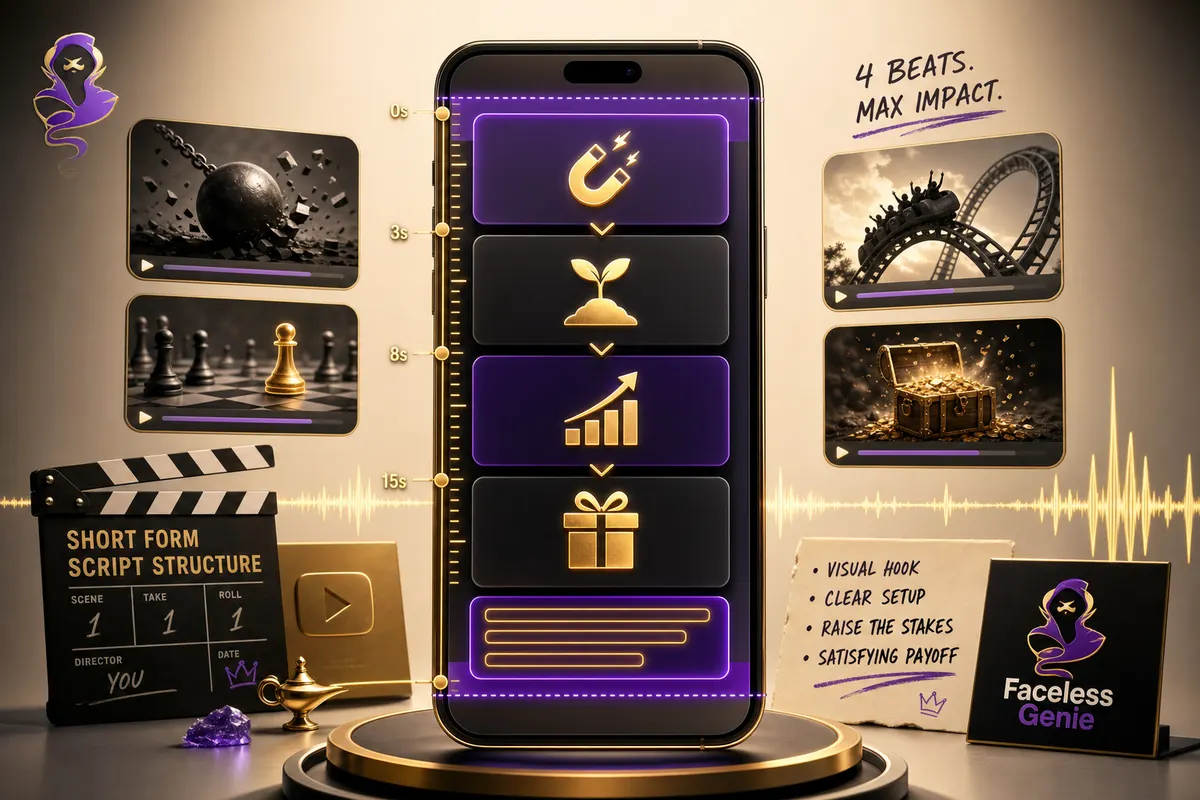
Short-form scripts are not smaller YouTube scripts. They are a different format. You get one idea, one hook, one escalation path, and one payoff. If you try to teach five tips in 30 seconds, the video becomes a list with no tension. If you teach one surprising thing in 30 seconds, the viewer can follow, finish, and remember it.
The best Shorts, TikTok, and Reels scripts usually have four beats: hook, setup, escalation, payoff. The hook stops the scroll. The setup gives just enough context. The escalation makes the viewer feel the point getting sharper. The payoff lands the lesson, twist, or reason to save the video.
| Beat | Time | Job | Example line |
|---|---|---|---|
| Hook | 0-3s | Stop the scroll | This is why your AI videos feel like slideshows. |
| Setup | 3-10s | Name the real problem | The model is not the issue. The script gives every scene the same job. |
| Escalation | 10-25s | Show the contrast | Scene one should create tension, scene two should prove it, scene three should reset attention. |
| Payoff | 25-40s | Make it useful | Before generating visuals, label every scene: show, prove, contrast, or payoff. |
Short-form scripts should be read out loud before rendering. If the line is hard to say, it will sound worse in AI voice. If the caption line is too long, it will shrink or cover the subject. If the visual beat does not change every few seconds, the video will feel static even when the words are useful.
How to write faceless video scripts

Faceless scripts need more visual discipline than on-camera scripts. A person on camera can gesture, react, smile, pause, and create trust. A faceless video has to create movement with scene changes, captions, examples, and visual metaphors. If the script does not plan those changes, the final video becomes narration over random B-roll.
The simplest fix is to add a visual job to every line or beat. Do not write only what the narrator says. Write what the scene needs to do. A scene can show the concept, contrast before and after, prove a claim, dramatize a mistake, reset attention, or land the payoff. If two scenes in a row have the same job, one of them probably needs to be cut.
| Narration line | Weak visual note | Better visual note |
|---|---|---|
| Most creators automate the wrong part. | Show computer | Split-screen: messy video pipeline on left, clean script-first workflow on right |
| The hook decides whether the video gets a chance. | Show phone | Vertical feed scroll stopping on a bright hook card in the first frame |
| A strong script gives every scene a job. | Show storyboard | Four storyboard cards labeled by icon only: show, prove, contrast, payoff |
| Captions should carry the strongest words. | Show captions | Large mobile-safe caption line with one highlighted phrase above a waveform |
This is why faceless script generation should happen inside the same workflow as video generation when possible. If the script is created in one tool, prompts in another, voice in a third, captions in a fourth, and render in a fifth, the creative direction leaks at every handoff. When the script, scene plan, visuals, voice, and captions live in one pipeline, the video has a better chance of feeling like one piece.
Script examples by niche
The script format changes by niche. A finance Short should not sound like a true-crime story. A product explainer should not use the pacing of a drama channel. A kids rhyme video should not use the same hook logic as a geopolitical documentary. AI can adapt to all of these, but only if you tell it what kind of viewer it is writing for and what kind of attention pattern the video needs.
This is where many script generators fail. They produce one clean, general template for every topic. The result is technically readable but strategically flat. Faceless videos work because the script matches the channel format. A dark history channel needs tension and mystery. A finance channel needs stakes and clarity. A SaaS explainer needs pain, proof, and a clean CTA. A brainrot-style short needs escalation and a fast payoff. The script should carry that DNA before visuals are generated.
| Niche | Script opening | Main rhythm | Visual direction |
|---|---|---|---|
| Finance explainer | Start with a mistake or number | Problem, cost, fix, example | Charts, receipts, dashboards, city shots |
| Dark history | Start with a strange fact or unanswered question | Mystery, context, reveal, consequence | Maps, old documents, moody reenactments |
| AI tools | Start with a test result or workflow pain | Before, tool, after, limitation | UI cards, workflow diagrams, side-by-side outputs |
| Product explainer | Start with the user pain | Pain, stakes, product, proof, next step | Clean UI scenes, motion graphics, outcome cards |
| Brainrot / character drama | Start mid-conflict | Hook, escalation, twist, payoff | Character close-ups, expressive reactions, fast cuts |
| Kids content | Start with a simple repeated phrase | Repeat, rhyme, action, reward | Bright characters, simple actions, safe pacing |
A good AI script prompt should include the niche because it changes the acceptable level of intensity. A finance script can use numbers and direct claims. A true-crime style script needs restraint and careful wording. A kids script needs repetition and clarity. A product explainer needs the viewer to understand what changed. If you omit the niche, the model defaults to generic creator advice.
For example, take the same topic: "AI saves editing time." A finance or business channel might write: "This is the hidden cost of editing your own videos: you are spending $400 of founder time to save a $12 render." A creator education channel might write: "If editing is the reason you stopped posting, the problem is not discipline. It is your workflow." A product explainer might write: "One prompt becomes script, voice, visuals, captions, and export." Same idea. Different script job.
Write for voiceover and captions at the same time
A script is not finished when the narration reads well. It also has to survive captions. Most short-form viewers see the caption line before they process the voice. On muted autoplay, captions are the hook. On noisy mobile playback, captions carry the key idea. If the script and caption pass are separate, the strongest words often get buried inside long narration.
Write voiceover and captions as a pair. The voiceover can carry the full sentence. The caption should carry the punch. For example, the voice might say: "Most AI videos fail because every scene has the same job." The caption can say: "Every scene has the same job." That shorter line is easier to read, easier to animate, and easier for the viewer to remember.
| Voiceover | Caption emphasis | Why it works |
|---|---|---|
| Most creators start with visuals, but the script is where retention breaks. | Retention breaks in the script | Turns the lesson into a short visual idea |
| A hook is not an intro. It is the reason someone gives you three more seconds. | A hook is not an intro | Simple contrast that fits on mobile |
| If every scene only illustrates the narration, the video becomes a slideshow. | That is a slideshow | Adds a memorable label to the mistake |
| Before you generate, label each scene: show, prove, contrast, reset, or payoff. | Label every scene | Gives the viewer an action they can use |
This also helps AI voice. Long sentences with nested clauses make synthetic narration feel worse. Shorter spoken sentences give the voice model cleaner emphasis. You can still write with personality, but the line should be easy to say in one breath. If you cannot read it naturally, the AI voice will probably flatten it.
Caption planning is especially important for faceless video because captions become part of the visual composition. A caption can act like a title card, a punchline, a beat marker, or a retention reset. Treat it as design, not an accessibility afterthought. The script should already mark which phrases deserve screen space before the render begins.
How to batch scripts without making them repetitive
Batching is where AI script generators become dangerous. They make it easy to create 20 scripts in one sitting, but easy volume can turn into repetitive output. The viewer notices when every video has the same opening rhythm, the same transition phrase, the same generic warning, and the same CTA. Batching works only when you vary the angle while keeping the channel format consistent.
The right way to batch is to create a format library. A format is not a topic. A format is the shape of the video. For a faceless creator, useful formats include mistake breakdown, before-after, myth vs reality, tool test, story reveal, ranking, quick checklist, teardown, case study, and prediction. One topic can become several scripts if each script uses a different format.
- 1Pick one channel niche and one audience. Do not batch across unrelated topics.
- 2Create 5-8 repeatable formats that fit the niche.
- 3Generate topics separately from hooks. A topic is not a hook.
- 4For each topic, generate three angles and choose the strongest one.
- 5Write the first script manually or semi-manually as the quality bar.
- 6Generate variations that match the structure but not the wording.
- 7Run a repetition pass across the batch. Cut repeated openings, transitions, examples, and CTAs.
- 8Render only the top scripts. A batch of 20 drafts may contain 8 worth producing.
A good batch has consistency without sameness. The viewer should recognize the channel's style, but not predict every sentence. That means recurring structure, not recycled language. Keep the same visual grammar, caption style, and pacing rules. Change the hook type, example, tension point, and payoff.
FacelessGenie is useful here because scripts can move straight into production. Once you know a format works, you can reuse the structure while changing the topic, scene prompts, voice, and captions. The point is not to remove creative judgment. The point is to stop rebuilding the production system every time you have a new idea.
Turning articles, transcripts and notes into video scripts
Another strong use case for an AI video script generator is repurposing. Most creators already have raw material: a blog post, a podcast transcript, a product changelog, a customer call, a lesson outline, a tweet thread, a webinar, or a messy note full of ideas. The mistake is asking AI to summarize that material. A summary is not a script. A summary compresses information. A script creates movement.
When repurposing, ask the AI to extract the strongest video angle first. A 2,000-word article might contain one good Short, one good YouTube explainer, and three weak tangents. A transcript might have one emotional story buried after 18 minutes of setup. A product changelog might have one feature that deserves a 60-second explainer and five updates that only need a release note. The script generator should help choose, not blindly convert everything.
- 1Paste the source material and ask for the three strongest video angles.
- 2Pick one angle and one platform format before drafting.
- 3Ask for the core promise in one sentence.
- 4Generate hooks from that promise, not from the full source material.
- 5Create a beat outline with only the points needed for the video.
- 6Write voiceover in spoken language, then add scene notes and captions.
- 7Check whether the final script can stand alone without the original source.
This workflow keeps repurposed content from feeling recycled. The viewer should not feel like they are watching a compressed blog post. They should feel like the idea was designed for video from the start. That means fewer points, stronger order, clearer visuals, and a payoff that fits the platform.
Prompts for better AI video scripts
A good prompt does not ask for a script immediately. It gives the AI a role, a format, a viewer, a goal, a tone, and a structure. The more clearly you define the video job, the less generic the output becomes. The goal is not to make the AI sound clever. The goal is to make the next production step easier.
“You are writing a 35-second faceless YouTube Short for beginner creators. Topic: why AI videos feel boring. Write 10 hook options, each under 12 words. Avoid generic phrases. Make each hook specific, visual, and slightly contrarian.”
“Turn this hook into a 40-second script with four beats: hook, setup, escalation, payoff. For each beat, include voiceover, on-screen caption, visual scene direction, and duration. Keep the language spoken, not essay-like.”
“Rewrite this YouTube intro so it starts with tension, removes throat-clearing, and tells the viewer exactly what they will understand by the end. Keep it under 90 words and make it sound natural when read aloud.”
“Create a faceless video scene plan from this script. Every scene must have one job: show, prove, contrast, reset, or payoff. Include image prompt, motion direction, caption emphasis, and transition note.”
After the first draft, ask for edits by problem, not by preference. Instead of saying "make it better," say "cut every generic line," "make the hook more visual," "replace abstract claims with concrete examples," or "reduce the script to one idea." AI responds better when the weakness is named.
Script QA checklist before rendering
Do not render the first script that looks clean. Read it like a viewer, not like the person who wrote it. The script should survive a retention pass before it becomes video. Fixing a script takes minutes. Fixing a rendered video takes credits, time, and patience.
- 1Read the first sentence. Does it create tension, curiosity, or a concrete promise?
- 2Remove throat-clearing. Cut intros, disclaimers, soft setup, and repeated topic statements.
- 3Check for one core idea. If the video teaches five things, it may need five videos.
- 4Read it out loud. Rewrite any sentence that sounds stiff, long, or unnatural.
- 5Mark visual changes. If the screen would stay the same for more than five seconds in short-form, add a new beat.
- 6Highlight caption words. The strongest phrases should be short enough to read on mobile.
- 7Cut duplicate points. Repetition only works when it escalates the point.
- 8Check the payoff. The final line should leave the viewer with a clear takeaway, not a vague summary.
For long-form YouTube, add a second pass for retention resets. Every 45-90 seconds, the script should open a new loop, introduce a fresh example, change visual mode, or raise the stakes. Viewers do not leave only because the topic is boring. They leave when the next minute feels predictable.
A simple script score before you generate
Before you spend credits on visuals and voice, score the script out of 10. Give two points for the hook: it should be specific, fast, and strong enough to stop a scroll. Give two points for clarity: the viewer should know exactly what the video is about without needing background context. Give two points for structure: every beat should move the idea forward instead of repeating the same claim. Give two points for visual readiness: the script should make it obvious what needs to appear on screen. Give two points for payoff: the ending should deliver a useful takeaway, twist, or next step.
Do not render anything below a seven. A six-out-of-ten script can still look polished after generation, but it will usually feel forgettable. A seven is workable. An eight is publishable. A nine or ten is rare and usually comes from revision, not the first AI draft. This small scoring step saves time because it catches weak scripts while they are still cheap to fix.
The score also helps teams. Instead of arguing whether a script feels good, you can point to the weak layer. Maybe the hook is strong but the visual plan is vague. Maybe the structure works but the payoff is soft. Maybe the topic is good but the first line sounds like every other creator in the niche. Once you know the weak layer, the rewrite prompt becomes obvious.
Common AI script generator mistakes
- 1Using the first draft. First drafts are usually grammatically clean and strategically weak.
- 2Writing for text instead of voice. Spoken scripts need shorter sentences and clearer turns.
- 3Letting AI define the angle. The creator should own the point of view.
- 4Adding too many ideas. Short-form needs one idea and one payoff.
- 5Starting with definitions. Most viewers clicked because they already know the general topic.
- 6Forgetting visuals. Faceless scripts need scene jobs, not just narration.
- 7Writing captions after the render. Caption emphasis should be planned while the script is written.
- 8Using generic CTAs. The next action should connect to the viewer's goal.
- 9Ignoring platform pacing. YouTube, Shorts, TikTok, and Reels do not reward the same script shape.
- 10Publishing without a read-aloud pass. If the script sounds awkward in your voice, it will sound worse in AI voice.
The one takeaway worth keeping: a script generator only earns its place in the workflow when it produces a plan the rest of the pipeline can use, not just polished sentences. Score the script, fix whichever layer is weak, and let scene jobs, voiceover, and captions follow from a structure that already works — that is the difference between a video that gets skipped and one that gets finished. FacelessGenie keeps that whole path in one place, so once a script scores a 7 or higher, you can try it on FacelessGenie and go straight from outline to a rendered vertical or widescreen cut.
Frequently asked questions
The best AI video script generator is the one that creates a production-ready script, not just narration. It should help with hooks, structure, scene beats, voiceover, captions, visual prompts, and platform-specific pacing. FacelessGenie connects that script workflow directly to video generation.
Ship your first faceless video today.
Pick your niche. Pick your models. We render. From idea to finished short in under 7 minutes — no camera, no editor.
Keep reading
Faceless YouTube Automation: The Actual 2026 Workflow
Most "faceless automation" guides automate the wrong part, then quietly kill the channel. Here's the 6-stage workflow — and the two things you should never hand off to AI.
YouTube Clip Maker 2026: Turn Long Videos into Viral Shorts
A senior editor costs $28 per Short. Our AI pipeline produced 22 Shorts from the same podcast for $0.65 each — in 12 minutes, not 8 hours. Here's how the pipeline works and the exact workflow to run it yourself.
How to Go Viral on TikTok in 2026: The Hook-Math Playbook
94% of the TikToks that break 5M views open with a number, a question, or a contradiction in the first second — none of it is luck.