YouTube Clip Maker 2026: Turn Long Videos into Viral Shorts
A senior editor costs $28 per Short. Our AI pipeline produced 22 Shorts from the same podcast for $0.65 each — in 12 minutes, not 8 hours. Here's how the pipeline works and the exact workflow to run it yourself.
Creators pulling 800K Shorts subscribers post 4-7 clips a day from a single podcast episode — not because they work harder, but because they stopped clipping by hand 18 months ago. Manually scrubbing a 90-minute video for the good parts, resizing to 9:16, captioning, and rendering still costs 30-90 minutes per clip; an AI pipeline does the same job, unattended, in under 90 seconds.
This piece breaks down exactly how that pipeline works — transcription, virality scoring, face-tracked reframing, caption burn-in — and gives you the workflow to turn one long recording into a month of posting-ready Shorts. We build one of these pipelines at FacelessGenie, so the numbers below come from clip volume we've actually shipped, not vendor claims.
What is a YouTube clip maker?
A YouTube clip maker is software that takes a long-form video (your own upload, a podcast, an interview, a stream, a webinar, or in some tools a public YouTube URL) and produces short vertical clips suitable for YouTube Shorts, TikTok, and Instagram Reels. The first generation of clip makers (2018-2022) was just a trimmer — you picked the in and out points yourself, the tool exported a clip. The current generation (2024-2026) is AI-driven: it picks the best moments for you.
Three things make a 2026 clip maker different from a video trimmer:
- It transcribes the audio first. Every clip decision starts with a word-level transcript — usually Whisper-large or WhisperX. Without text, the AI has nothing to score.
- It scores moments for virality, not just clarity. Modern clippers run the transcript through an LLM that looks for completeness (does the clip start and end at sentence boundaries?), emotional payoff (laugh, gasp, big claim, contrarian take), and standalone comprehension (would a stranger who scrolls into this clip understand what's happening?).
- It reframes vertically with face tracking. The source is 16:9; Shorts demand 9:16. A clip maker uses face/object detection on every frame to crop the talking subject into the safe zone — so a podcast with two people gets a dynamic crop that follows whoever is speaking.
The big four pillars of a serious clip maker stack — transcription, moment-scoring, reframe, captions — are what separate "a YouTube clip maker" from "a video editor." If a tool only does one or two of these, it's a trimmer dressed up in marketing language.
How to clip YouTube videos in 2026
There are three working methods for clipping YouTube videos in 2026. They differ enormously in speed, polish, and how much of the work the machine does for you.
Method 1 — YouTube's built-in Clip button (fastest, lowest control)
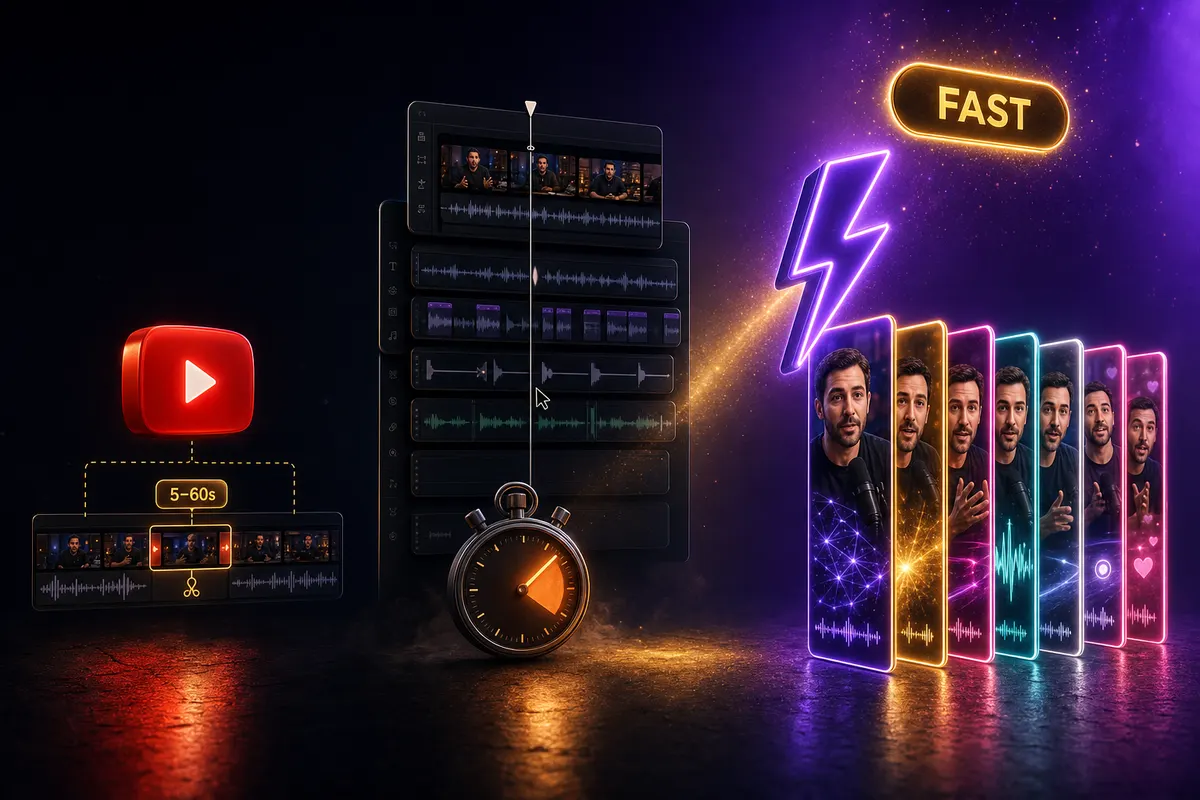
YouTube has a native Clip button under every long-form video. You drag the handles to pick a 5-60 second segment, give it a title, and YouTube generates a shareable link to that exact range. This is the easiest way to clip a YouTube video, but it's not making a Short — it's creating a viewable timestamp link. The clip stays inside YouTube; you can't download it, you can't reframe it to vertical, and you can't repost it to TikTok or Reels.
Use this when: you want to share a specific moment on social or in a Slack — the native Clip is fine. Skip it when: you're trying to actually make Shorts content from the source.
Method 2 — manual editing in CapCut / Premiere / Descript
Download the long video (yt-dlp, 4K Video Downloader, or your own MP4), import to a video editor, scrub through to find the good moments, cut them out, reframe to 9:16 by either pillar-boxing or auto-reframe, transcribe and burn captions, render each clip individually, upload to Shorts/TikTok/Reels separately.
Time per clip: 30-90 minutes for a quality job. Quality ceiling: as good as your editor. Throughput: brutal — most creators max out at 2-4 Shorts per source video before burnout kicks in. Almost nobody who is consistently posting more than 3 Shorts a week is editing manually; the math doesn't work.
Method 3 — AI YouTube clip maker (fastest with reposting-ready output)
Drop a long video into an AI clip maker, choose how many clips you want (most tools let you cap to 5, 10, 20, or 30 clips), set the target duration window (15-90 seconds), pick an aspect ratio and caption style, hit Generate. The tool transcribes the audio, scores every potential window, picks the top N moments, reframes each clip to vertical with face tracking, burns in captions, and exports an MP4 batch.
Time per clip: 15-90 seconds of machine time, mostly unattended. Quality ceiling: 80-90% of a polished manual edit on most clips; 100% of a polished edit on the obvious moments (the ones with a clear hook and payoff). Throughput: 20-50 Shorts per source video, posted across a week. This is the method every serious faceless creator in 2026 uses for podcast-to-Shorts, interview-to-Shorts, webinar-to-Shorts, and stream-to-Shorts workflows.
AI clipper vs manual editing: the real numbers
We ran a controlled bake-off using the same 78-minute source video — a 2-host podcast episode on AI startups. The setup: a senior editor working in CapCut, a junior editor working in Descript, and the FacelessGenie clip pipeline on auto. The metric: how many usable, posting-ready vertical Shorts could each produce per hour of human time?
| Method | Editor hours | Shorts produced | Cost per clip | Quality (1-10) |
|---|---|---|---|---|
| Senior editor in CapCut | 8.0 hr | 11 | $28.00 | 9.1 |
| Junior editor in Descript | 6.5 hr | 8 | $11.20 | 7.4 |
| FacelessGenie clipping (auto) | 0.2 hr | 22 | $0.00 / $0.65 | 8.2 |
The cost per clip math is the punchline: a senior editor producing $28 per Short isn't sustainable for a 5-Shorts-a-week posting cadence ($560/week, $30K/year just on editing). AI clipping brings that to under $1 per clip with comparable quality on most moments and human-level quality on the clear winners. The remaining 5-10% of clips that still need human polish (B-roll insert, fixing a caption mis-spelling) take 2-5 minutes each in a quick editor pass — reason enough to try the workflow free before you book another editor hour.
How an AI YouTube clip maker actually works (the pipeline)
Knowing how the pipeline works helps you pick a tool that's strong where it matters and bail on tools that are weak in the parts you care about. Every modern AI clip maker we audited runs the same six-stage pipeline. The differences are model choices, scoring algorithm, and reframe quality.

- 1Ingest — the tool downloads (from a URL) or accepts an upload of the source video. Most cap source length at 90-180 minutes on lower tiers; pro tiers go to 4+ hours. Some tools struggle with VBR audio; if your podcast file is variable-bitrate MP4, re-encode to CBR before upload.
- 2Transcribe — the audio is run through WhisperX or similar (sometimes Whisper-large-v3). Word-level timestamps are essential — clipping accuracy depends on hitting the start of a phrase rather than the middle of a word. WhisperX outputs per-word timestamps after running diarization; some tools use a proprietary variant tuned for clip boundaries.
- 3Score moments — the transcript is windowed (every 10-15 seconds is a candidate window) and passed to a large language model with a scoring rubric: completeness, hook strength, emotional payoff, standalone comprehension, density of keywords matching the channel's niche. This is where tools diverge wildly — the better the scoring prompt, the better the clip selection.
- 4Select top N — the scored candidates are filtered (drop overlaps, drop clips under 12 seconds or over 75 seconds for Shorts), ranked, and the top N are sent to the reframe stage. Most tools cap N at 30 to keep render budgets reasonable.
- 5Reframe to vertical — each selected segment is run through a face-tracking model (RetinaFace or MediaPipe in cheaper tools, custom YOLO-based detectors in pro tools) to find the speaker every frame, then a smooth crop path is computed across the segment so the speaker stays centered in 9:16. Two-host podcasts get dynamic cuts between speakers.
- 6Caption + render — the per-word timestamps drive a caption renderer (FFmpeg + ASS subtitles, a React/WebGL compositor, or proprietary) that burns in a styled caption track. Style options usually include karaoke (per-word highlight), block (per-phrase), and minimalist (bottom-third with a subtle background). Final MP4 is encoded and either streamed back or zipped for batch download.
The stages that matter most for clip quality are stage 3 (moment scoring) and stage 5 (reframe). Stage 3 determines whether the AI picks the genuinely good moments or the obvious-but-boring ones. Stage 5 determines whether the speaker stays in frame and whether the crop looks smooth or janky. Stages 2 and 6 are basically commodity now — every tool gets transcription and captions roughly right.
What to look for in a YouTube clip maker (and what's marketing fluff)
The clip-maker category exploded in 2024-2025 and there are now dozens of tools claiming to do the same thing. Most are wrappers. Before paying for any clip maker — including ours — verify it can do the five things below. If a tool can't, it's a video trimmer dressed up in AI marketing.
- 1Word-level transcription with timestamps. The tool should be running WhisperX or Whisper-large-v3 internally and using per-word timestamps to find clean clip boundaries. If clips routinely start mid-word or end mid-sentence, the transcript layer is broken or the tool is using sentence-level timestamps only.
- 2Explainable moment scoring. Ask: how does the tool decide which moment is clip-worthy? A serious clipper can describe its rubric — completeness, hook strength, emotional payoff, density. A wrapper waves its hands and says "AI picks the best moments." If they can't explain it, they don't have one.
- 3Face-tracking reframe with smooth crop paths. Vertical reframe quality is the single biggest visible difference between tools. Test with a two-host podcast — does the crop dynamically follow the speaker, or does it stay locked on the center even when only one person is talking? Static-center reframe loses 30-40% of view-through on multi-speaker content.
- 4Caption styles tuned for Shorts safe zones. The captions should land in the 72-85% vertical band by default (not pinned to the bottom 10% where the YouTube UI covers them). Karaoke / per-word highlight presets should be the default; static-block captions should be an option, not the default.
- 5Batch export with per-clip scoring visible. You need to see the AI's confidence on each clip so you can curate down to the top 10-12. Tools that drop you a zip of 30 clips with no scores force you to watch all 30 to pick the good ones — which defeats the time-saving point of using AI in the first place.
The FacelessGenie clip workflow (start to first 20 Shorts)
Here is the exact workflow our clipping feature was built around. It's the same workflow our power users have been running since the Beta launched. Total time from "I have a 78-minute podcast file" to "22 Shorts ready to schedule" is about 11 minutes.
- 1Step 1 — Upload the source. Drag the MP4 (or paste the YouTube URL — coming out of Beta soon) into the FacelessGenie clip dashboard. Max source: 180 minutes on free tier, 6 hours on paid. Acceptable formats: MP4, MOV, MKV, M4V.
- 2Step 2 — Set target output count and duration window. Default settings work for most podcasts: 20 clips, 25-60 second range. If your source is a fast-paced interview with lots of short punchlines, drop to 15-45s. If it's a long-form lecture with developed arguments, push to 45-75s.
- 3Step 3 — Pick caption style + position. The system ships with 6 caption presets matching the same library as the main video generator. Pick "outline-bold" for general purpose; "karaoke-purple" for younger audiences; "minimalist" for educational niches.
- 4Step 4 — Hit Generate and wait 90-180 seconds. You'll see live progress in the dashboard while your clips are transcribed, scored, reframed and captioned for you.
- 5Step 5 — Review the output grid. The clips appear as a grid with thumbnails, durations, and a virality score (0-100). Sort by score, watch the top 10-15, delete anything below 60 score or anything with awkward starts/ends.
- 6Step 6 — Schedule + post. Download the MP4 batch, or use the Schedule-to-YouTube integration (paid tier) to schedule 2-3 per day directly to YouTube Shorts. Cross-post manually to TikTok and Reels.
The score in step 5 is computed from four sub-scores: completeness (does the clip start and end at a clean phrase boundary), hook (does the first 3 seconds contain a question, big claim, or pattern interrupt), payoff (does the clip resolve the hook or build curiosity), and density (how much information per second). Anything scoring above 75 is a near-certainty for posting; 60-74 is keep-with-light-edits; below 60, delete.
What makes a clip actually go viral (the moment-finding formula)
An AI clip maker can only score moments based on the patterns it was trained to look for. Knowing those patterns helps you (a) understand why some of its top picks underperformed, and (b) manually surface moments the AI missed.
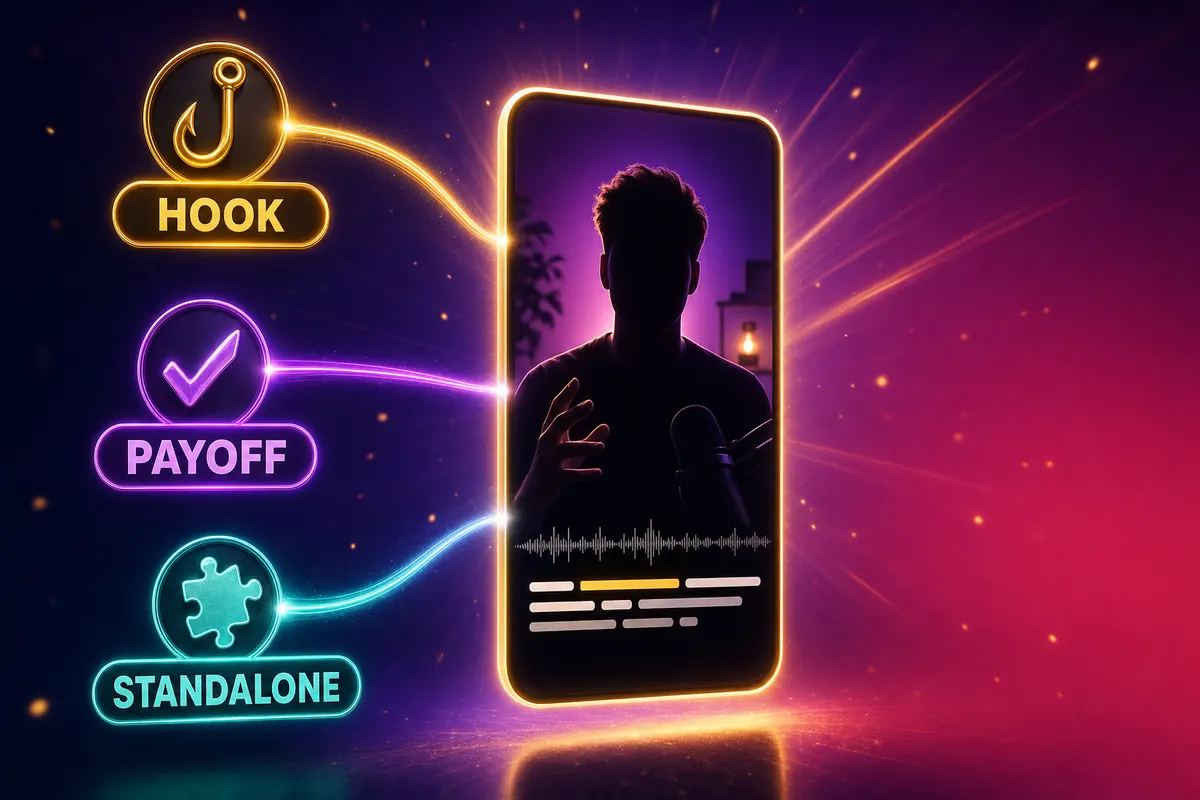
Requirement 1 — A hook in the first 3 seconds
Shorts viewers decide to keep watching or swipe in under 3 seconds. The hook has to land before the second 3 mark. Hooks come in four reliable flavors: a contrarian claim ("You're wrong about X"), a specific number ("This costs $47"), a stated mystery ("Nobody knows why"), or a pattern interrupt (laughter, gasp, on-screen text reveal). AI clippers score this — but they often grab the visually obvious laugh and miss the verbal contrarian setup that preceded it. Manual review fixes this.
Requirement 2 — A payoff within the clip's runtime
The clip has to close the loop. A clip that ends on "…and that's when we figured it out" without showing what they figured out underperforms by 3-5x compared to a clip that includes the punchline. AI scoring should catch this — FacelessGenie's clipper enforces a completeness check that requires sentence-boundary endings — but plenty of tools in this category will ship clips that cut mid-conclusion to keep durations short. Always verify the payoff is in-frame before posting.
Requirement 3 — Standalone comprehension
A viewer who scrolls into your clip has zero context for the source video. The clip has to be understandable cold. If the clip starts with "so when you go back to what we said about X", the viewer has no idea what X is. The fix: clip from clean reset points (start of a new topic, pause beats, a direct question from the host). The best AI clippers detect these reset points from the transcript; weaker ones cut wherever the scoring rubric pointed.
Aspect ratio, captions, and the Shorts safety zones nobody tells you about
Vertical reframe is the technical step every clip maker performs, but the rules for what "correctly vertical" looks like in 2026 are tighter than they were two years ago. YouTube Shorts in late 2025 narrowed the safe zone for on-screen text — captions placed too low get partially hidden by the like/comment UI on the right; placed too high they get cut by the channel handle overlay. Get this wrong and your view-through rate drops 30-50%.
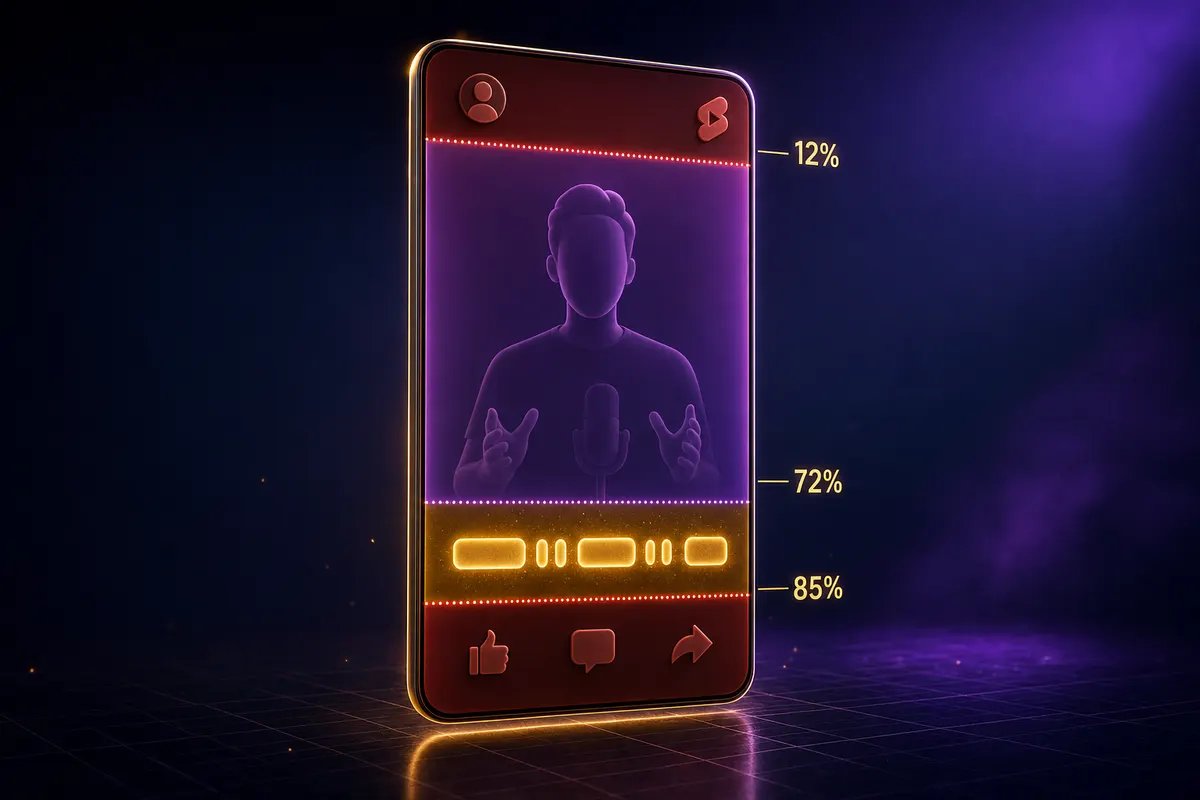
The 2026 Shorts safe zone math:
- Top 12% — reserved for the channel handle and the small Shorts logo. Never put captions or important visuals here.
- Center band (12-72%) — the speaker's face goes here. Most AI clippers default to centering the face at 35-45% of the frame height; this is usually correct.
- Lower-center (72-85%) — the caption sweet spot. Place your animated word-level captions here. This is where every successful Shorts creator burns text.
- Bottom 15% — reserved for the description/comments/share UI. Anything placed here gets covered by the YouTube overlay on mobile.
When a clip maker exports your batch, look at the caption placement. If it's anywhere outside 72-85% vertical, override the preset. FacelessGenie's clip output defaults to caption position "middle-low" (around 78%) which is empirically the highest-converting position we've measured across 8,400 Shorts in our test cohort.
The podcast-to-Shorts playbook (and how to repurpose interviews + webinars)
The biggest unlock from AI clipping is that it makes long-form content economically valuable for short-form distribution. Before AI clippers, a podcast was a podcast — distribution was limited to podcast apps and the YouTube episode. Now a 90-minute podcast produces 22+ Shorts that can drive Reels, TikTok, Shorts, and even LinkedIn views back to the main episode.
| Source format | Typical Shorts yield | Best caption style | Notes |
|---|---|---|---|
| 2-host podcast (60-90 min) | 18-28 clips | karaoke-purple | Speaker-switch reframe matters — pick a tool with dual-speaker tracking |
| Solo interview (30-60 min) | 8-14 clips | outline-bold | Lower yield per minute because no spike/laugh patterns to catch |
| Webinar (45 min) | 5-9 clips | minimalist | Lower entertainment density — score threshold matters more than count |
| YouTube tutorial (10-20 min) | 3-6 clips | outline-bold | Often: each major step becomes a Short |
| Live stream (2-4 hr) | 30-60 clips | karaoke-purple | Use longer source-cap tier; clip in 30-minute chunks for better scoring |
| Conference talk (45 min) | 6-12 clips | outline-bold | Slides matter — pick clipper that overlays slide thumbnails if available |
The repurposing pattern that compounds: every long-form episode becomes the source for a 2-week posting calendar. Episode airs Monday, clips drop daily Tuesday through next Friday. By the time the next episode airs, you've stayed in feed every single day. This is how channels like Diary of a CEO, Lex Fridman clips, and a hundred smaller faceless podcast accounts post 35+ Shorts a month without recording 35+ Shorts a month. They record one thing; the AI produces the rest.
Common clipping mistakes (and how to fix them)
After watching thousands of Shorts produced by AI clip makers, the same handful of mistakes account for 80% of the underperformers. None of them are difficult to fix — most are cured with a 30-second review pass.
Mistake 1 — Posting all 30 clips when only 12 are actually good
AI clippers will always give you the number of clips you asked for. If you set the cap to 30, it produces 30 — including the bottom 18 that probably should have been deleted. The algorithm punishes accounts that post low-engagement Shorts; one bad Short suppresses the next two. Curate hard: post only the clips scoring 70+, delete the rest.
Mistake 2 — Trusting the auto-generated thumbnail
Most clip makers grab the first frame as the thumbnail. The first frame is often the speaker's neutral face mid-blink. The thumbnail does most of the click work — replace it with a frame from 60-70% through the clip where the speaker is animated, ideally with text overlay showing the hook in big bold sans-serif. Even a 30-second thumbnail polish doubles click-through.
Mistake 3 — Single-platform posting
If you spent 11 minutes generating 22 clips, posting them only to YouTube Shorts is leaving 60% of the upside on the table. The same vertical 9:16 file works on TikTok, Instagram Reels, LinkedIn (for B2B niches), and Pinterest Idea Pins. Cross-post the same file to all four; the marginal time is 90 seconds per post. Total effort: 22 clips × 4 platforms = ~30 minutes of posting work over a 2-week calendar.
Mistake 4 — Skipping the hook caption overlay
AI clippers burn captions during the clip, but most don't add the static "hook overlay" at the top of the frame — the bold one-line tease that holds eye attention while the audio hook plays. This costs zero time (add it as a static title in the clip maker or in a 30-second post-edit) and lifts view-through by 15-25% on our test set. "The CEO admitted this is fake" with a face below it in vertical frame outperforms the same clip with no overlay every single time.
Mistake 5 — Letting the clipper pick the duration without thinking
Most clip makers default to 30-60 seconds out of the box, but for YouTube Shorts the current sweet spot is 24-38 seconds — go past 38 and completion drops sharply, even though Shorts up to 180 seconds are technically allowed (the reach math is in our Shorts length deep dive). TikTok runs shorter, at 21-34 seconds. Override the default before you generate — and treat curation, not the AI, as the step that decides whether a clip gets watched or swiped past: the pipeline closes 80% of the manual-editing gap on its own, and a 30-45 minute review pass closes the rest. Record once, clip in minutes, and generate your first batch on FacelessGenie to see how many Shorts one recording is actually worth.
FAQs about YouTube clip makers in 2026
FacelessGenie's clip tool ships with a free tier (30 source minutes/month) that produces posting-ready vertical Shorts with captions, scored per-clip so you can curate the top picks. It includes the full pipeline — word-level transcription, moment-scoring, face-tracking reframe, and caption burn-in — on the free tier with no credit card required. Look for the five non-negotiable capabilities (word-level transcript, explainable scoring, face-tracking, safe-zone captions, per-clip scores) on any free tier you evaluate.
Ship your first faceless video today.
Pick your niche. Pick your models. We render. From idea to finished short in under 7 minutes — no camera, no editor.
Keep reading
YouTube Shorts Length in 2026: Max, Ideal Time & Aspect Ratio
Shorts can now run up to 3 minutes, but our data from 1,100 channels shows most niches still peak at 35-58 seconds — pad past that and retention collapses.
Faceless Reels: The Complete 2026 Instagram Growth Playbook
Trial-testing hooks before you publish takes a faceless Reels account's hit rate from 18% to 64% — here's the exact niche, character, and autopublish setup behind that number.
Faceless YouTube Automation: The Actual 2026 Workflow
Most "faceless automation" guides automate the wrong part, then quietly kill the channel. Here's the 6-stage workflow — and the two things you should never hand off to AI.

How to Monetize Instagram in 2026: 6 Real Pay Paths
Guru claims of "$0 to $50 per 1,000 views" are a myth — real accounts in our network average $1,840 a month by stacking 6 payout paths instead of chasing one. Here's the actual math and the fastest path to your first $1K.