Story channel16:9
A weekly series with recurring leads
Give viewers characters to come back for. Same faces, same voices, a new episode every week.
Turn an idea or a script into a film your viewers follow: characters with their own faces and voices, a storyboard you approve for every scene, and dialogue they actually speak on screen. Post it, then make episode two with the same cast.
Free to sign up · Movie Maker is included in paid plansA one-minute film made with FacelessGenie Movie Maker
Movie Maker works like a small production: casting, story, screenplay, boards, dialogue, shoot, premiere. You sign off each stage, so the scenes that get filmed are the ones you already pictured.
Harbor at dusk, lamp lit
Mara hands Theo the map
“You kept it all these years?”
Theo studies the coastline
Ink mark on the island
They walk toward the boat
Start from a one-line idea or a finished script. Choose the runtime, 9:16 or 16:9, the medium, a look, a camera style, how much the characters talk, and the language they speak.
Movie Maker reads your idea, proposes the roles it needs, and lets you review them before a single portrait is drawn. Each character gets a portrait and a voice — picked from the library or designed from their profile.
A complete story sized to your runtime, from a 20-second short to a 20-minute film. Edit it freely before anything is shot.
Every scene lands with a one-line summary, location, cast, duration and timed beats. Rewrite a scene, insert a bridge scene, reorder, or cut.
Each scene gets a storyboard sheet with shot order, blocking and continuity, plus the set, prop and framing references it needs. You see every board before a scene is filmed.
Generate each character's lines in their assigned voice, listen back, redo a single line, and only move on when the timing fits the scene.
Scenes are generated with your cast, your board and your approved dialogue — lips moving to the words, with room tone, effects and music built in. Fix a detail in a finished scene without reshooting it.
Every scene is joined into one film with its sound intact and loudness evened out. Download it, post it, then start the next episode with the same cast.
Faceless doesn't have to mean narration over stock clips. These are formats where a recurring cast gives viewers a reason to come back.
Give viewers characters to come back for. Same faces, same voices, a new episode every week.
Cliffhanger episodes of 30 seconds to 3 minutes, built for Shorts, TikTok and Reels feeds.
Turn a myth, a ghost story or a historical episode into scenes the characters act out, not a slideshow with narration.
Pick an animated medium and keep the same character designs across every adventure.
Cut a 20- to 60-second trailer with the same cast to launch a series or tease the next arc.
Let two characters argue out a money, science or history question instead of a voice reading bullet points.
Series grow channels because viewers follow people. Movie Maker keeps those people recognizable from the first scene to the last episode.
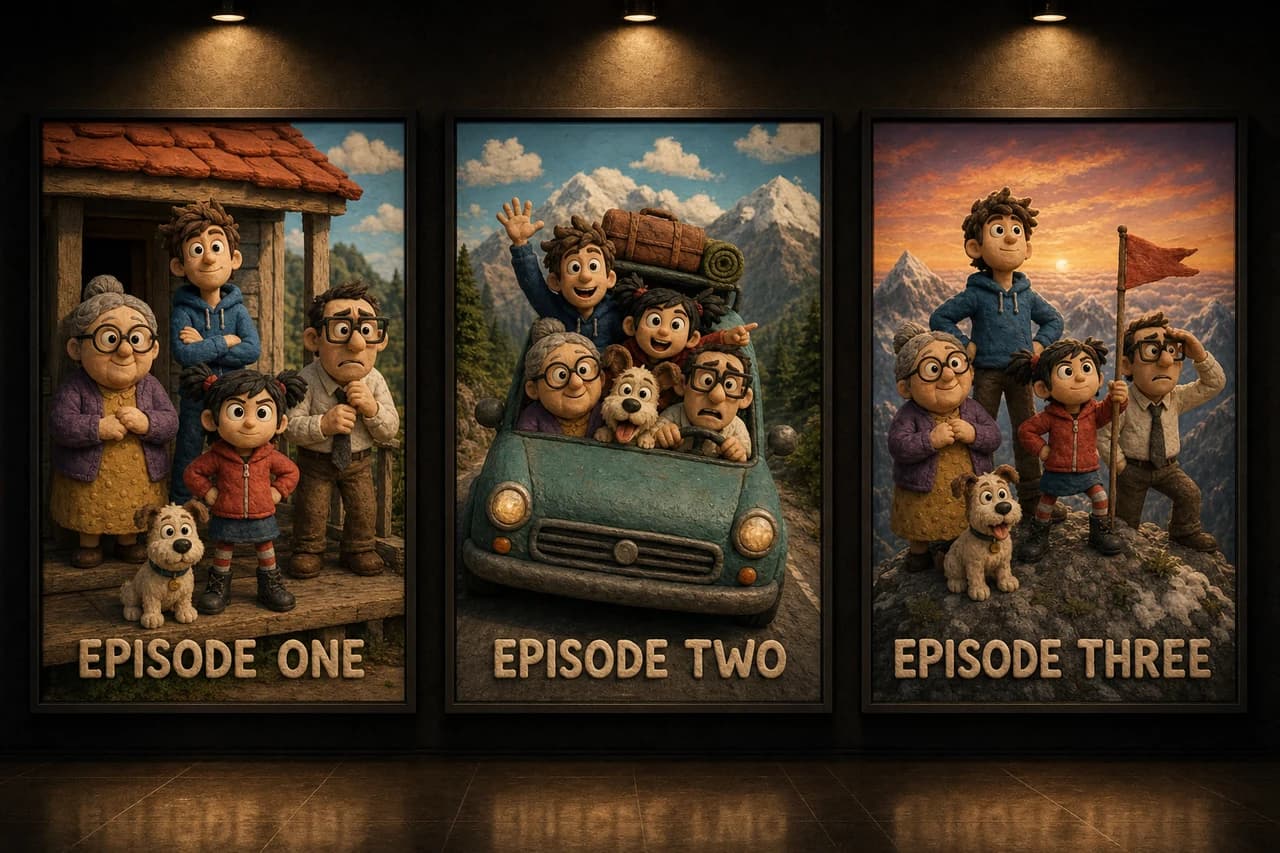
The approved portrait is handed to every scene a character appears in, so episode six still looks like episode one.
Each character keeps a single assigned voice across scenes and episodes. No voice cloning — voices come from the library or are designed from the character's written profile.
Storyboards and dialogue are approved before a scene shoots. Change a look, a voice or a line and only the affected scenes are flagged for a redo.
Medium, look, camera language and sound direction are set once and fed to every story, board and scene step.
Set the direction once in setup and it carries through casting, story, boards and every scene. Dialogue can be written and spoken in 11 languages.
Short runtimes suit a vertical series on Shorts, TikTok and Reels. Ten to twenty minutes suits a YouTube story channel — the screenplay is planned in segments so long films keep one plot instead of repeating themselves.
Plans from $49/mo. Credits are spent per step, so a 30-second short costs far less than a 20-minute film.
An AI movie maker turns an idea or a script into a finished film with characters, scenes and dialogue. In FacelessGenie you cast the characters, approve the story, screenplay, storyboards and dialogue, and the scenes are generated and joined into one film you can download and post.
You choose the runtime up front: 20 seconds, 30 seconds, or 1, 2, 3, 5, 10, 15 or 20 minutes. Long films are split into scenes of up to 30 seconds each on the highest-quality setting, then joined at the premiere.
Yes. Every movie can be made in 9:16 for Shorts, TikTok and Reels or in 16:9 for YouTube. Short runtimes of 20 seconds to 3 minutes suit vertical series; longer runtimes suit story channels.
Yes. Each character has an assigned voice. You generate and review their lines before shooting, and scenes are filmed with mouth movement matched to the approved dialogue. You can also pick a no-dialogue style for purely visual stories. Dialogue is available in 11 languages.
Each character has an approved portrait and a single voice that are reused in every scene. Each scene also gets an approved storyboard before it is filmed, and when you finish a movie you can start the next episode with the same cast and look.
Pick a quality level before you shoot. Standard and High keep the cost low for longer films, and the top level gives the most cinematic look. Every level keeps the same cast, voices and storyboard.
Yes. You can rewrite a single scene, regenerate one line of dialogue, reshoot one scene, or use a scene fix to change a detail in a finished clip, such as a prop or a color, without reshooting it.
Creating an account is free, but Movie Maker is part of FacelessGenie's paid plans. Each paid step shows its credit cost before you run it, and scenes that fail to generate are refunded. Plans and credit amounts are on the pricing page.
Pitch the idea, approve each stage, and premiere a film with a cast your viewers will recognize next time.